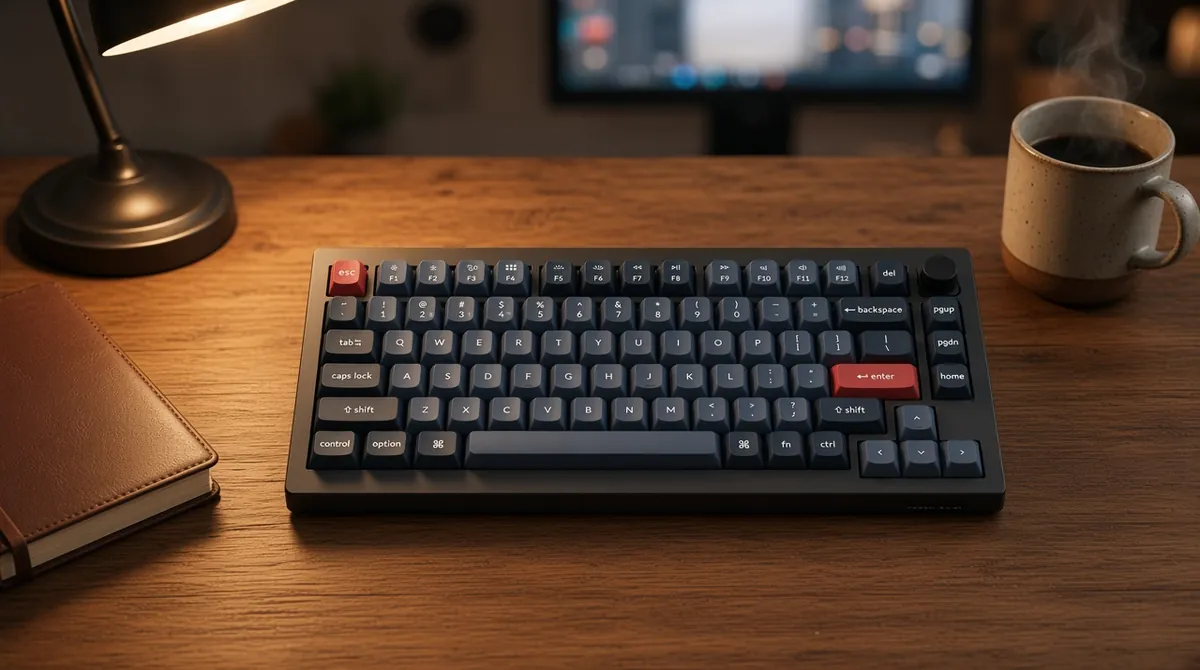
If you spend eight or more hours a day typing emails, writing code, or drafting reports, your keyboard is the primary physical interface through which you interact with your work. Yet millions of professionals spend their careers pecking away on mushy laptop chiclet keys or hollow $15 membrane office boards that bottom out harshly against hard plastic, creating finger fatigue, joint strain, and frequent typos. Upgrading to a modern mechanical keyboard transforms typing from an ergonomic chore into a deeply satisfying tactile experience. However, stepping into the mechanical keyboard market in 2026 can feel overwhelming: enthusiast jargon like "gasket mounts," "hot-swappable PCBs," "PBT keycap profiles," and "linear vs. tactile switches" makes choosing a board confusing.
Our guide cuts through enthusiast gatekeeping to explain the exact engineering principles that determine daily comfort, typing speed, and acoustic harmony. We break down the physics of mechanical switches, compare physical layout footprints (from compact 75% boards to full 100% spreadsheets workhorses), and review four distinct archetype examples that embody modern best practices. Once you understand the core criteria outlined here, you can explore our upcoming roundup of the best mechanical keyboards of 2026 (planned). For complementary desktop accessories and hubs, explore our Consumer Electronics hub.
Step 1: The Three Mechanical Switch Personalities
The single most important decision when choosing a mechanical keyboard is the switch hidden underneath each keycap. Unlike membrane keyboards that require you to push a rubber dome all the way down until it collapses against a circuit board, a mechanical switch registers an electrical keypress halfway through its downward travel (typically at 1.5mm to 2.0mm of a 4.0mm total stroke). Mechanical switches fall into three distinct behavioral families:
1. Linear Switches (Red / Yellow / Black / Silver)
The Feel: Perfectly smooth, consistent resistance from the moment you press the key until it reaches the bottom of the stroke. There is no tactile bump, hesitation, or auditory click.
Best For: Shared corporate offices, late-night typing, and gaming. Because there is no mechanical click mechanism, linear switches are naturally the quietest mechanical switches available. Pre-lubed linear switches (such as Gateron Yellows or Keychron Pro Reds) produce a deep, muted, soothing acoustic sound without disturbing coworkers or waking sleeping family members.
2. Tactile Switches (Brown / Panda / Banana / Tea)
The Feel: A subtle, rounded resistance "bump" halfway through the keypress, occurring precisely at the electrical actuation point. Once past the bump, the key drops cleanly to the bottom.
Best For: Programmers, copywriters, and typists transitioning from membrane keyboards. The tactile bump provides physical confirmation that your key has registered without needing to smash the key into the metal backplate. This tactile feedback promotes a lighter, more relaxed typing style that significantly reduces finger fatigue over an eight-hour workday.
3. Clicky Switches (Blue / Green / White)
The Feel: A pronounced tactile bump accompanied by a sharp, metallic auditory "click" produced by a small internal click jacket or spring-loaded click bar.
Best For: Solitary home office typists who love the nostalgic, typewriter-like sound of vintage IBM Model M keyboards. Warning: Clicky blue switches generate sharp 60-to-65 decibel acoustic spikes that bleed heavily into Zoom conference microphones and will quickly infuriate coworkers in open-plan office spaces.
Step 2: Choose Your Layout & Desk Footprint
Traditional full-size office keyboards are massive slabs measuring nearly 18 inches across. Unless you spend your entire workday entering numerical data into financial accounting spreadsheets, a full-size keyboard is ergonomically flawed: the attached numeric tenkey pad forces your right arm to reach wide outward to hold your mouse, rotating your shoulder joint and causing chronic trapezius neck strain. Modern mechanical layouts compress functionality into much more ergonomic footprints:
| Layout Format | Key Count | Width | Numpad? | Arrow Keys? | Ergonomic Implication |
|---|---|---|---|---|---|
| Full-Size (100%) | 104–108 | ~17.5" | Yes | Yes | Forces right arm wide outward; highest shoulder strain |
| 96% / 1800-Compact | 96–100 | ~15.0" | Yes (compressed) | Yes | Preserves full numpad while saving ~2.5 inches of desk width |
| Tenkeyless (TKL / 80%) | 87 | ~14.0" | No | Yes | Eliminates numpad; brings mouse 3.5 inches closer to body center |
| 75% Compact | 82–84 | ~12.5" | No | Yes (clustered) | The Modern Sweet Spot: Keeps F-row and arrows in minimal space |
| 65% Minimalist | 67–68 | ~12.0" | No | Yes (tight) | Drops dedicated F-row; ultra-portable for laptop bags |
Step 3: Mounting Style — Why "Gasket Mount" Matters in 2026
In older, traditional mechanical keyboards (known as Tray Mount boards), the metal plate holding the switches was screwed rigidly into the bottom plastic chassis. Every time you struck a key, the vibrational energy transferred directly into the hard table surface, producing a harsh, clattery typing feel and sharp finger shock. In 2026, the gold standard across quality mechanical boards is Gasket Mounting.
In a gasket-mounted keyboard, the internal switch plate does not touch the outer metal or plastic case directly. Instead, the plate is cushioned along its perimeter by soft silicone, Poron foam, or rubber tabs. When you type, the entire switch plate flexes downward slightly under your fingers, dampening the impact and absorbing vibrational shock. When combined with internal acoustic foam layers (EVA, IXPE, and Poron), gasket mounting produces a deep, muted, satisfying sound (often referred to in enthusiast communities as a "thocky" acoustic profile) rather than a loud, hollow plastic rattle.
Step 4: Two Non-Negotiable Features for 2026
1. Hot-Swappable PCB (5-Pin Sockets)
Never purchase a mechanical keyboard with permanently soldered switches unless you are on a microscopic budget. A hot-swappable circuit board features specialized Kailh or Gateron modular sockets beneath each key. If a switch gets dirty, wears out, or if you decide you want to switch from noisy tactile switches to quiet linears, you simply use an included metal puller tool to pop the old switch out and snap a new one in within five seconds—zero soldering irons or electronics skills required.
2. PBT Keycaps vs. Cheap ABS Plastic
Keycaps are molded from two primary plastics: Acrylonitrile Butadiene Styrene (ABS) or Polybutylene Terephthalate (PBT). Cheap stock ABS keycaps are soft; within three to six months of typing, natural skin oils wear away the matte surface, leaving keys with an ugly, greasy, slippery shine. PBT keycaps are significantly denser, stiffer, and chemically resistant. Even after years of intense daily typing, textured PBT keycaps retain their pleasant dry, chalky matte texture and will not develop shiny wear spots.
Common Mistakes to Avoid
- Deploying Clicky Blue Switches in an Office: Do not bring loud blue switches into a shared corporate cubicle, quiet library, or shared bedroom. The sharp acoustic clicks will irritate colleagues and bleed through online meeting software. Choose pre-lubed linear or subtle tactile switches instead.
- Ignoring Wrist Extension Ergonomics: Standard desktop mechanical keyboards sit between 18mm and 22mm tall at the front edge. Typing on a tall board with your wrists resting flat on the desk bends your hands upward into severe dorsiflexion, compressing the median nerve inside the carpal tunnel. Either invest in a simple wooden/foam wrist rest or choose a slim Low-Profile mechanical keyboard (like the NuPhy Air75).
- Installing Bloated Gaming Software Suites: Many mainstream gaming brands require 500MB+ desktop software suites that run continuously in the background, consuming CPU resources just to customize RGB lights. Look for keyboards supporting QMK/VIA firmware, which lets you remap keys and program custom macros directly inside any standard web browser with zero background software installed.
Four Archetype Examples: Which Style Fits Your Routine?
To see these engineering principles in practice, examine these four proven archetypes:
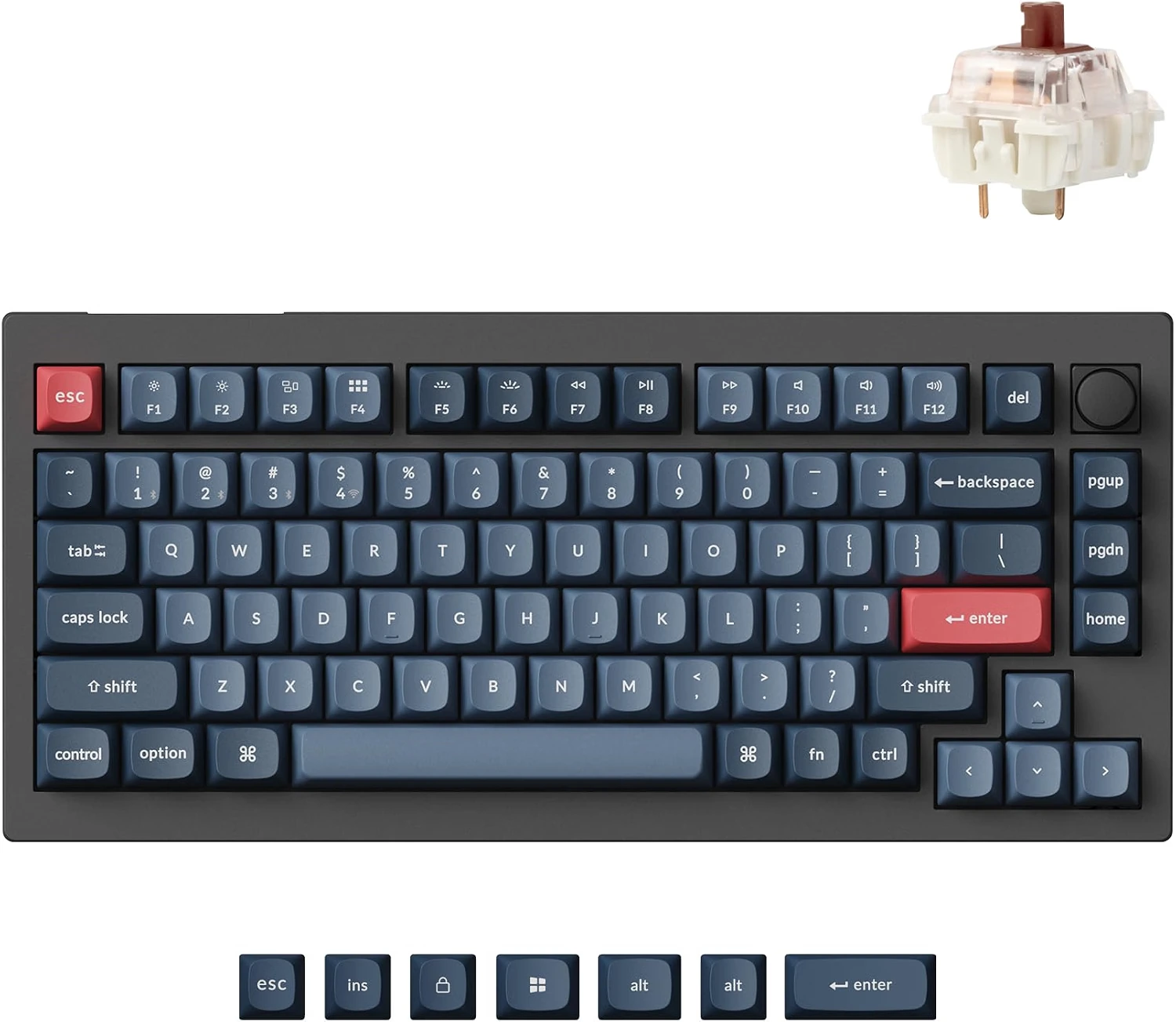 The undisputed benchmark for custom mechanical excellence: 75% compact layout,…
1. Keychron V1 Max — The 75% Gasket-Mount Standard
The Keychron V1 Max is the quintessential modern mechanical keyboard. Its 75% layout preserves the essential top function row (F1–F12) and dedicated clustered arrow keys while saving over 4.5 inches of horizontal counter space compared to full-size boards. Inside, silicone gasket mounts and multi-layer acoustic dampening foam produce a deep, muted, premium typing feel right out of the box.
Pros
- Gasket mount for softer typing feel
- Compact 75% layout keeps arrows + F-row
- Browser remapping (VIA/QMK) without bloatware
Cons
- Louder than membrane boards — open offices and late-night typing may object
- Higher upfront cost than a basic office keyboard
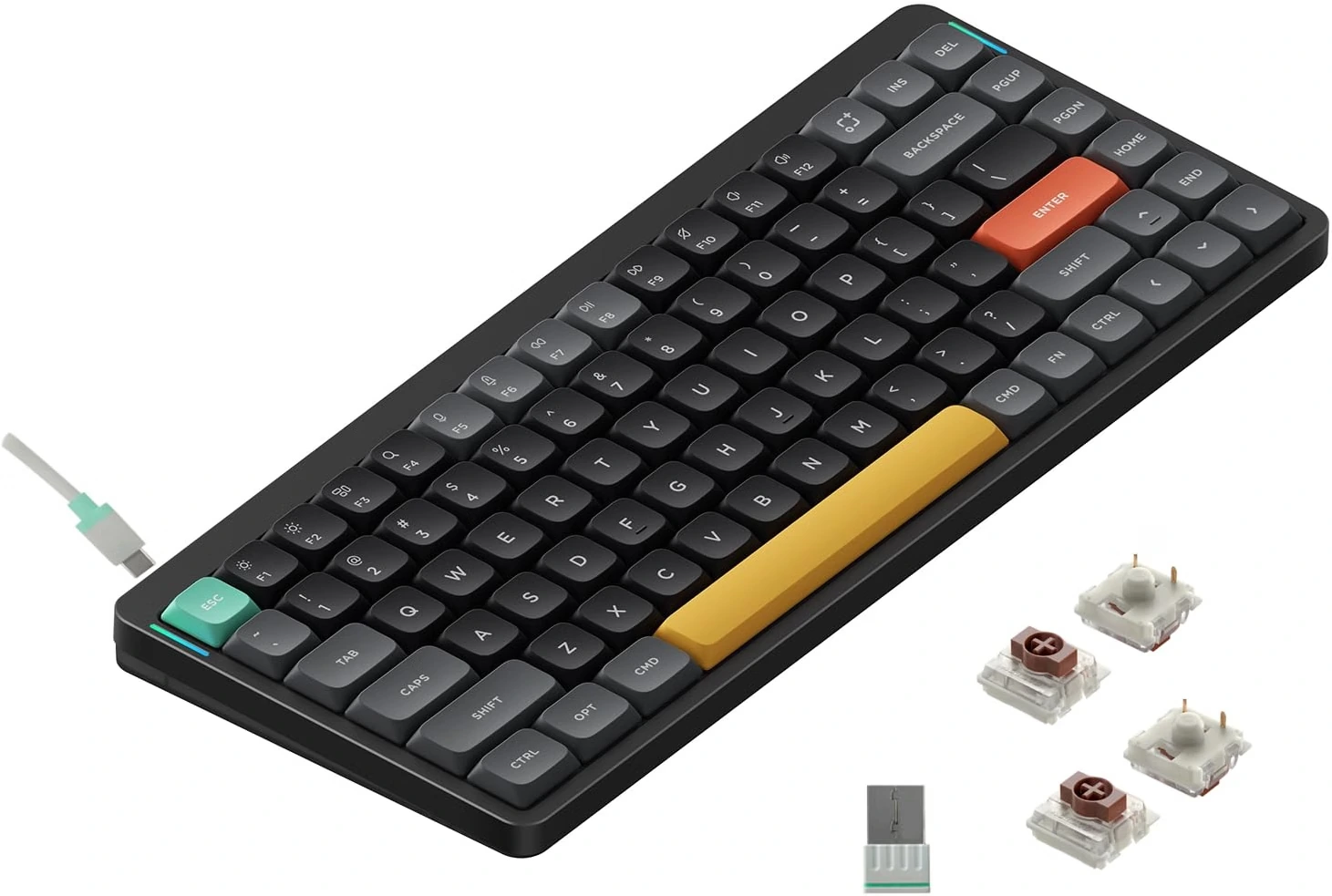 Engineered for nomadic typists: sits flat on your desk without wrist rests and rests…
2. NuPhy Air75 V2 — The Ultra-Slim Low-Profile Travel Board
If you hate the steep height of traditional mechanical keyboards and frequently work from coffee shops or commuter trains, the NuPhy Air75 V2 is a technological marvel. Using low-profile Gateron switches and ultra-thin dye-sub PBT keycaps, the entire keyboard stands less than 16mm tall at the front edge. Its rubberized bottom feet are spaced precisely to nest directly between the keycaps of a 13-inch or 16-inch MacBook, allowing you to use a tactile mechanical board directly on your laptop while traveling.
Pros
- Low-profile height — easier on wrists
- PBT keycaps resist shiny wear
Cons
- Hot-swap boards still need switch research to avoid a mushy feel
- RGB and gasket kits add price without helping every typist
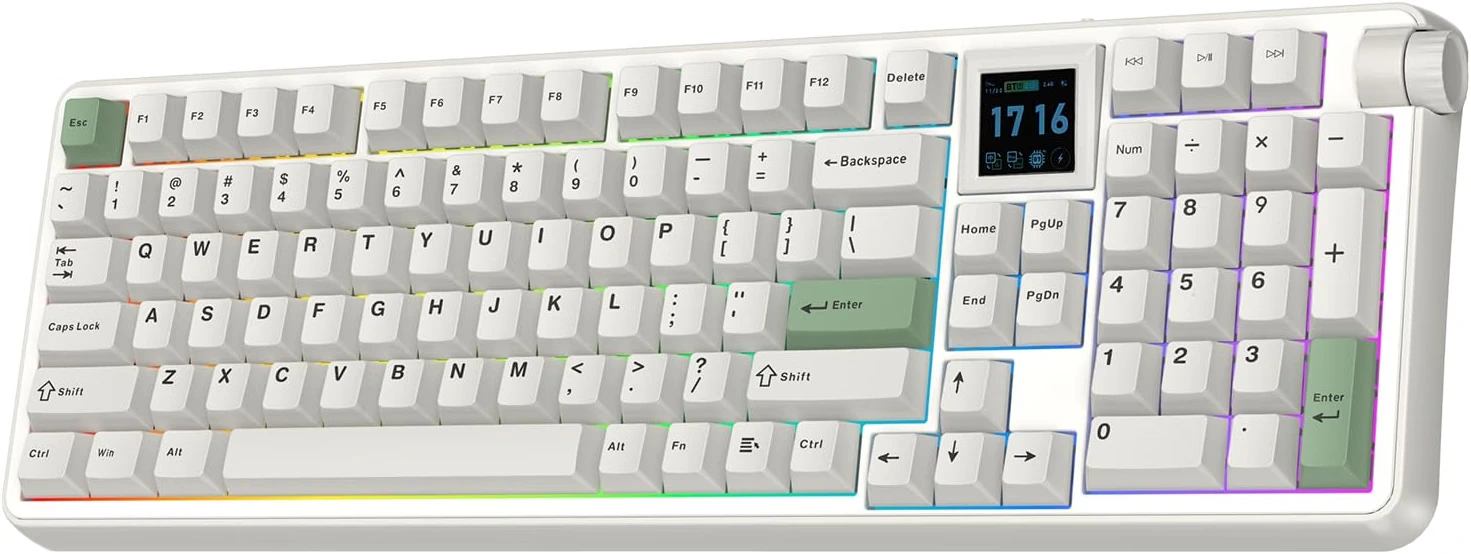 Combines a full numerical keypad and retro beige aesthetics with a detachable mini…
3. Epomaker RT100 Retro — The 96% Numpad Space Saver
For accountants, data analysts, and financial professionals who cannot survive without a physical tenkey number pad, standard full-size keyboards waste precious desk space. The Epomaker RT100 uses a 96% compact 1800 layout, sliding the number pad directly against the arrow keys to save roughly 2.5 inches of width. It features gasket mounting, hot-swappable switches, a tactile multimedia volume knob, and a unique detachable mini LCD screen that displays live CPU temperatures and custom animated GIFs.
Pros
- Gasket mount for softer typing feel
- Hot-swappable switches (no soldering)
- Keeps a numpad without full-size width
Cons
- Low-profile boards feel closer to a laptop than a classic mechanical deck
- Fewer aftermarket keycap options than full-height MX layouts
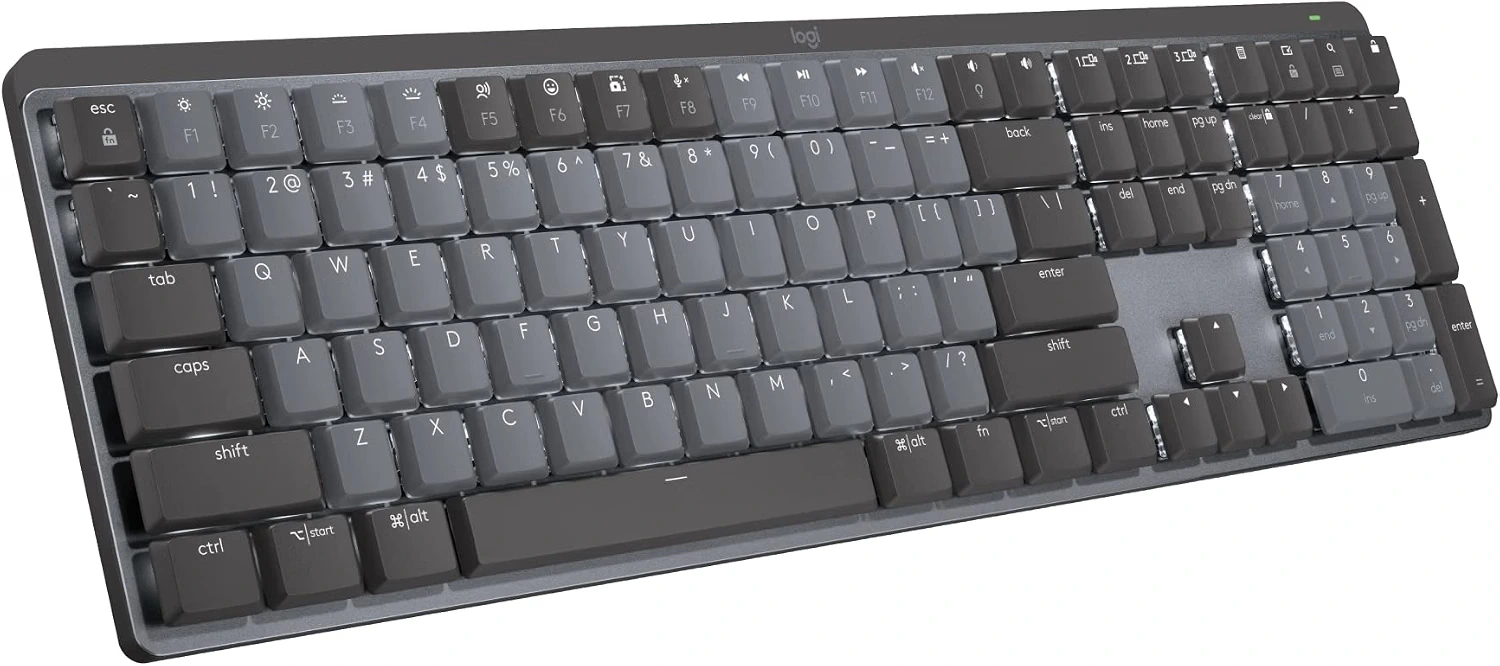 Tailored for corporate professionals: pairs seamlessly with MX Master mice across…
4. Logitech MX Mechanical — The Enterprise Office Productivity Board
If you work across multiple work and personal computers and already use a Logitech MX Master 3S mouse, the Logitech MX Mechanical integrates seamlessly into enterprise corporate workflows. Using low-profile tactile switches, smart proximity backlighting that illuminates the second your hands approach the keys, and multi-device Logi Flow switching, it bridges the gap between mechanical typing feel and corporate office software simplicity.
Pros
- Low-profile height — easier on wrists
- Multi-device switching for office workflows
Cons
- Wireless latency and battery anxiety vs a simple wired board
- Compact layouts force learning new Fn-layer shortcuts
The Decision Tree: Which Mechanical Keyboard Fits Your Routine?
- If you are buying your very first mechanical keyboard for general desk work: Choose a 75% Gasket-Mount board with pre-lubed Tactile switches (like the Keychron V1 Max). It provides dedicated arrows, a compact footprint, and gentle tactile feedback without excessive noise.
- If you commute between offices or travel with a laptop: Choose a Low-Profile 75% wireless board with Linear switches (like the NuPhy Air75 V2). It requires no wrist rest, sits flat on your desk, and packs into a backpack sleeve easily.
- If you enter spreadsheets and data numbers all day: Choose a 96% Compact layout (like the Epomaker RT100). You keep your full numerical keypad while bringing your mouse 2.5 inches closer to your natural arm reach.
- If you work in an open corporate office with thin partitions: Choose Linear switches (Red or Yellow) with a Gasket Mount. The absence of a mechanical click jacket keeps typing noise equivalent to standard quiet office keyboards.
Our Research Method
Nobody at Pickora ran a closed commercial robotics laboratory or actuated millions of key switches with industrial testing rigs for this guide. Instead, our conclusions are synthesized from verified manufacturer force-displacement actuation curves (measuring actuation distance in millimeters and bottom-out force in grams), independent acoustic decibel frequency analyses from keyboard specialized engineering outlets (including RTINGS), and analyzed typing fatigue patterns across verified professionals through November 2026. We focused specifically on daily health: carpal tunnel wrist extension angles, hot-swap socket longevity, and PBT keycap oil resistance.