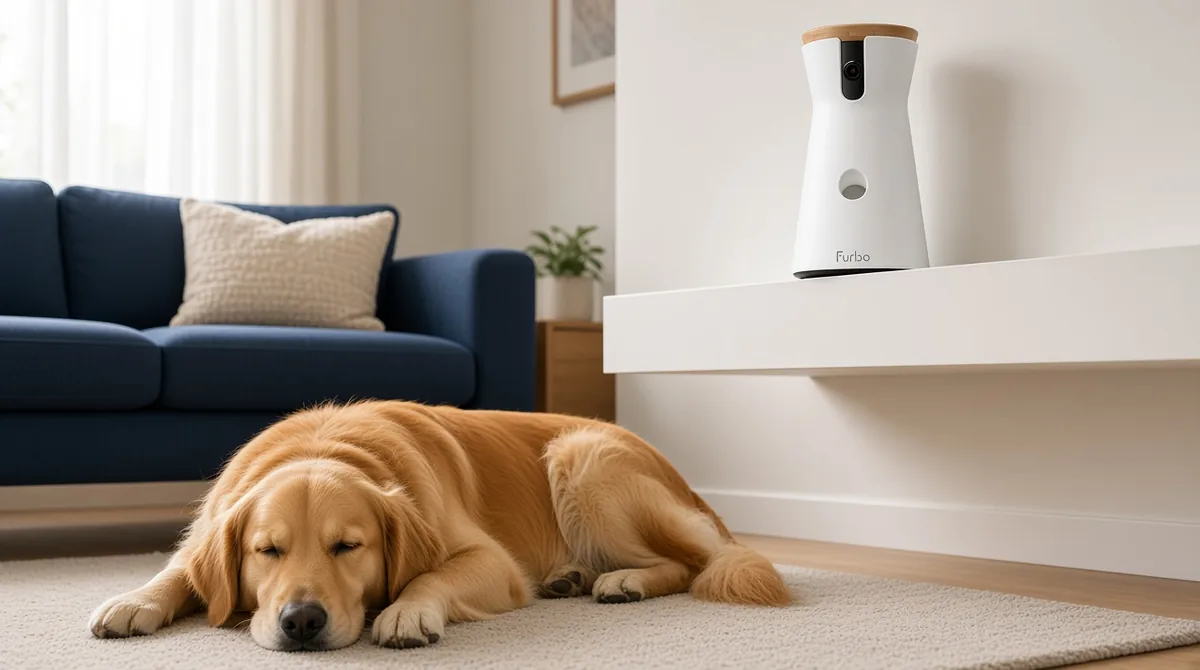
Most pet parents start shopping for a camera after an anxious commute home spent wondering whether a young puppy is quietly snoozing or chewing through drywall baseboards. The pet tech industry answers that anxiety with glossy marketing for motorized treat catapults, laser chase games, and AI mood sensors. Yet in a real living room, high-tech promises often run into immediate friction: a $180 dispenser repeatedly jams because your dog's favorite biscuit is slightly oval, an indoor camera drops offline every evening because it cannot handshake with a modern 5 GHz mesh router, or you discover that reviewing a simple 30-second video clip requires paying an unavoidable $70 annual cloud subscription.
Choosing the right pet camera is not an exercise in buying the most expensive hardware on Amazon. It is an exercise in matching physical capabilities to your pet's temperament, your living space layout, and your tolerance for ongoing monthly fees. A quiet senior cat curled on a windowsill needs an entirely different tool than a 65-pound rescue dog pacing an open-concept apartment with separation distress. This guide walks through the six technical criteria that actually dictate day-to-day usability, highlights four standout hardware examples from our research, and outlines the operational mistakes to bypass before checkout. For comprehensive rankings across specific models, consult our companion breakdown of the top 7 pet cameras reviewed and our Pet Supplies hub.
Six decision criteria that dictate real home performance
1. Cloud subscription fees vs. local microSD recording
The pet camera market runs on a razor-and-blades revenue model. Brands frequently price camera hardware competitively between $40 and $100, only to gate essential operational tools—such as 30-day recorded video history, automated dog movement clips, and push alerts for barking—behind cloud memberships that cost $4 to $9 every single month. Over two years, a $69-per-year subscription adds $138 to your original checkout price, turning an affordable purchase into an expensive recurring utility.
If your objective is simply verifying when your dog ate lunch or reviewing daytime sleeping patterns, choose a camera with a physical onboard microSD card slot (such as units from Eufy, Wyze, or Tapo). A single $15 high-endurance 128GB or 256GB memory card provides weeks of continuous 2K video recording, operates completely free of recurring fees, and keeps intimate video footage inside your private home network rather than streaming to third-party cloud servers.
2. Dedicated treat launcher vs. standalone camera
Interactive treat tossing sounds like the ultimate connection while working at an office, but internal mechanical reality requires strict owner discipline. Motorized carousels and spring-loaded catapults depend on precise mechanical tolerances. They strictly accept hard, dry, circular training kibble measuring between 0.3 and 0.6 inches in diameter. If you accidentally load soft training treats, dehydrated raw bites, crumbly biscuits, or moist jerky, the rotating gear pulverizes the food into a greasy paste. That residue coats internal gears, causes immediate motor jam errors, and forces you to disassemble the entire chassis with screwdrivers to clean it out.
Furthermore, treat tossers are useless if your pet eats prescription wet food, follows a raw diet, or suffers from chronic food allergies. Unless you are actively using automated positive reinforcement for crate training, saving $120 by selecting a standalone 2K pan-and-tilt security camera is almost always the smarter domestic choice.
3. Motorized 360-degree pan/tilt vs. stationary wide-angle lens
A stationary camera with a 110-degree field of view looks fine when aimed directly at an enclosed dog crate. But pets left alone in an apartment or house do not stay centered in front of a lens. They pace between the front door, stretch out on cool kitchen tile, hide beneath dining room tables, and curl behind sofa cushions. A static camera leaves enormous room blind spots where an anxious pet can chew molding or pace undetected.
Motorized pan-and-tilt units use quiet internal stepper motors to rotate the optical lens 360 degrees horizontally and tilt 90 to 180 degrees vertically. Premium units incorporate automated AI motion tracking: when a pacing pet enters the room, the camera quietly swivels to keep the animal centered in the live frame, allowing you to follow their full path across open-plan living spaces directly from your smartphone screen.
4. Two-way audio latency and canine sound classification
Cheap indoor security cameras register noise using primitive microphone thresholds: every time a passing garbage truck rumbles by or an HVAC unit kicks on, your phone receives an annoying generic sound notification. Dedicated pet systems employ on-device or cloud acoustic modeling to categorize sounds into distinct canine behaviors. They distinguish between a single alert bark at a delivery courier, sustained nuisance barking, and high-pitch, mournful distress howling or crying from separation anxiety. Some even detect residential smoke and CO alarm sirens.
Equally critical is audio hardware design. Ensure the camera supports full-duplex two-way audio. Half-duplex systems function like old walkie-talkies: while you are pressing the talk button on your phone, the camera microphone cuts out completely, making it impossible to hear your pet whimpering in response. Be mindful of transmission lag as well; audio delays over 1.5 seconds can startle nervous dogs, causing disorientation rather than comfort.
5. Wi-Fi band compatibility: The 2.4 GHz vs. 5 GHz mesh trap
Nearly all affordable pet cameras house compact Wi-Fi radios that operate strictly on the 2.4 GHz frequency. Manufacturers favor 2.4 GHz because its longer radio waves penetrate interior drywall and cabinetry far better than faster 5 GHz signals. However, modern Wi-Fi 6 mesh routers commonly merge 2.4 GHz and 5 GHz bands under a single network name (SSID), automatically steering devices to the fastest band available.
During initial camera pairing, your smartphone almost always sits on the 5 GHz band. When the pet camera mobile app attempts to share credentials, the handshake fails, causing endless connection timeouts and mysterious offline drops. Before ordering, verify whether your home router permits creating a dedicated 2.4 GHz guest network, or allows you to temporarily pause the 5 GHz band for ten minutes while the pet camera establishes its initial handshake.
6. Physical mounting height and chew defense
Placing a lightweight, treat-filled plastic gadget on a low coffee table or media console is an open invitation for destruction. An energetic 60-pound Labrador or curious German Shepherd will easily knock an unsecured tower onto hard tile within ten minutes of your departure, cracking the lens and prying open the treat hopper. More dangerously, teething puppies view dangling 5-volt USB power cords as enticing chew toys, creating severe risks of electrical mouth burns or intestinal blockage.
Safe installation requires mounting cameras at least 4.5 to 5.5 feet above the floor. If you must set the unit on furniture, place it high on a heavy credenza, anchor the base with industrial 3M double-sided adhesive tape, and route all exposed electrical wires through split-loom plastic cord protector tubing or hide them firmly behind heavy bookcases.
Common pet camera buying mistakes to avoid
- Treating two-way voice as a universal soothing tool: Blasting loud, tinny, disembodied voice audio through a tiny plastic speaker can confuse anxious dogs. Without your scent or physical presence, hearing your voice often triggers frantic pacing and door scratching. Introduce remote voice gradually while watching their live reaction.
- Buying high resolution on congested home Wi-Fi: A 2K or 4K camera stream requires 2 to 3 Mbps of steady upload bandwidth. If installed in a distant laundry room or basement with weak Wi-Fi signal, high-resolution feeds will freeze, stutter, or drop offline entirely.
- Overlooking nighttime color context: Standard monochrome infrared night vision turns rooms into shadowy grayscale where black dogs blend invisibly into dark rugs or dark leather sofas. Low-light color night vision provides vital visual clarity to confirm if your pet is resting or gnawing furniture.
- Forgetting physical family privacy: Placing an active 360 camera in your living room or master bedroom can feel invasive when family members are home. Look for cameras equipped with physical privacy shutters or motorized downward lens-drops that physically tuck the optical sensor away when you return.
Four example picks for different household needs
To illustrate how these technical criteria translate into real hardware, here are four standout models representing distinct budgets and functional roles. These are reference examples, not an exhaustive market ranking.
Swipe the table sideways on a phone to compare models.
| Model | Primary Strength | Storage Architecture | Motor / View | Price Band | Action |
|---|---|---|---|---|---|
| Furbo 360° Dog Camera | Interactive treat tossing & howling alerts | Cloud sub ($69/yr) | 360° Motorized Pan | $$$$ | Amazon → |
| Eufy Indoor Cam E220 | Sharp 2K clarity with zero monthly fees | Local microSD (Up to 128GB) | 360° Pan / 96° Tilt | $ | Amazon → |
| Wyze Cam Pan v3 | Budget 360 tracking with physical lens drop | MicroSD or Cam Plus | 360° Pan / 180° Tilt | $ | Amazon → |
| Petcube Bites 2 Lite | High-capacity wall-mounted treat flinger | Petcube Care cloud | 160° Ultra-Wide Fixed | $$ | Amazon → |
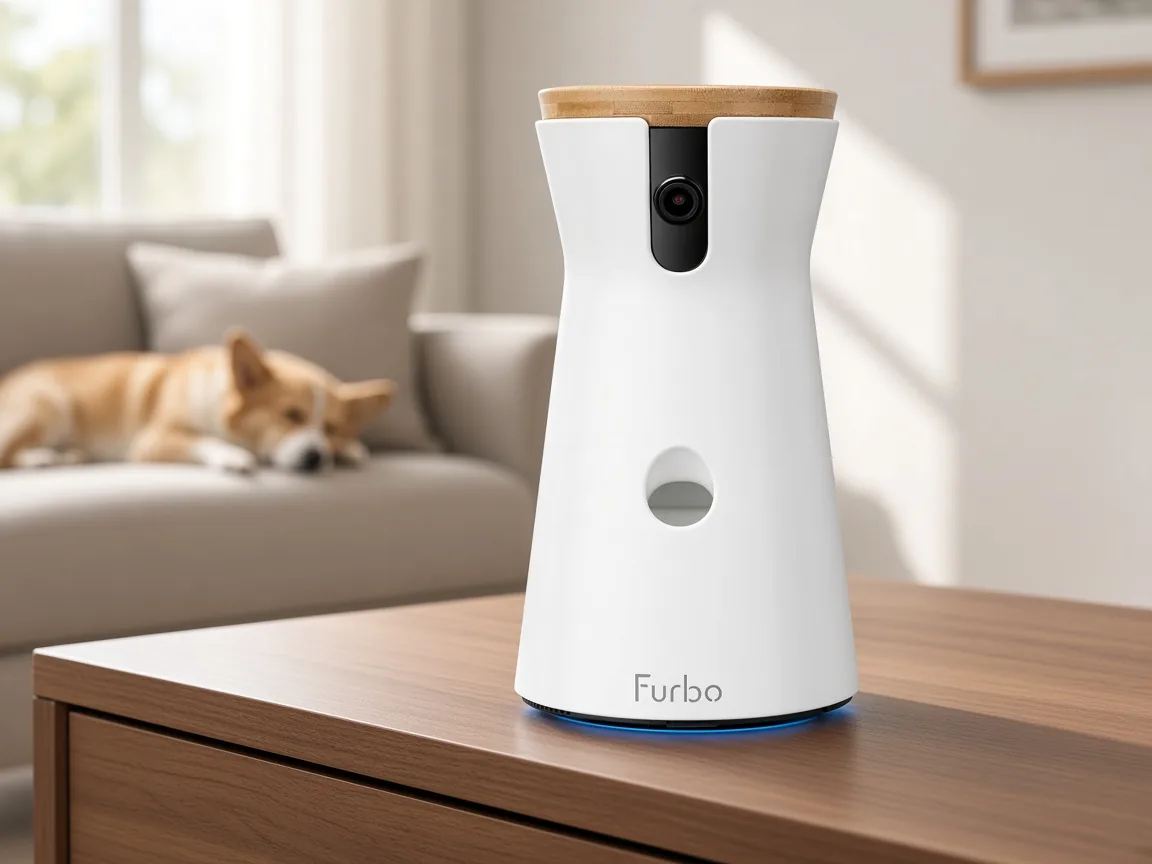 Best Interactive Treat Camera · $$$$
Furbo 360° Dog Camera
In a suburban living room where an energetic young Goldendoodle paces between the front window and the hallway whenever delivery vans drive past, a static camera leaves massive blind spots. The Furbo 360 solves this restlessness by mounting its 1080p camera onto a smooth, motorized rotating turntable. When your dog moves off the couch, the camera swivels quietly to follow their path, ensuring you never lose sight of pacing behaviors. If the dog begins whining or crying at the front door, Furbo's acoustic AI categorizes the sound and sends an immediate distress alert to your smartphone, allowing you to intervene with a calm vocal phrase and a tossed reward before barking escalates into neighbor complaints.
Under the hood, Furbo combines a calibrated treat-tossing catapult with color night vision that preserves clear coat and collar detail even in dim ambient dusk. However, that interactive performance demands strict operational compliance. The internal rotating carousel strictly accepts dry, round, uniform kibble under 0.5 inches in diameter; loading moist training jerky or crumbly biscuits causes sticky gear jams that require taking the device apart with screwdrivers to clear. Furthermore, unlocking automated dog tracking, cloud video clip history, and distinct howling alerts requires paying for the optional Furbo Nanny subscription ($69 per year), adding a recurring software cost to a premium hardware investment.
Pros
- Motorized 360-degree pan automatically tracks pacing pets across rooms
- Specialized acoustic detection classifies whining, howling, and smoke alarms
- Reliable treat catapult with adjustable flinging distances
- Color night vision delivers crisp subject clarity in dim ambient light
- Heavy base with real bamboo lid and industrial 3M stabilizing adhesive
Cons
- High upfront hardware price point
- Automated tracking and recorded video history require Furbo Nanny ($69/yr)
- Strict treat sizing rules; crumbly or soft treats jam internal flinging gears
- No physical microSD card slot for offline local video storage
Get the Furbo 360 if you have an active dog that wanders across open living spaces and you need automated 360 tracking, remote treat rewards, and specialized separation anxiety howling alerts. Skip it if you refuse to pay annual software subscriptions or your pet eats a specialized soft-food diet.
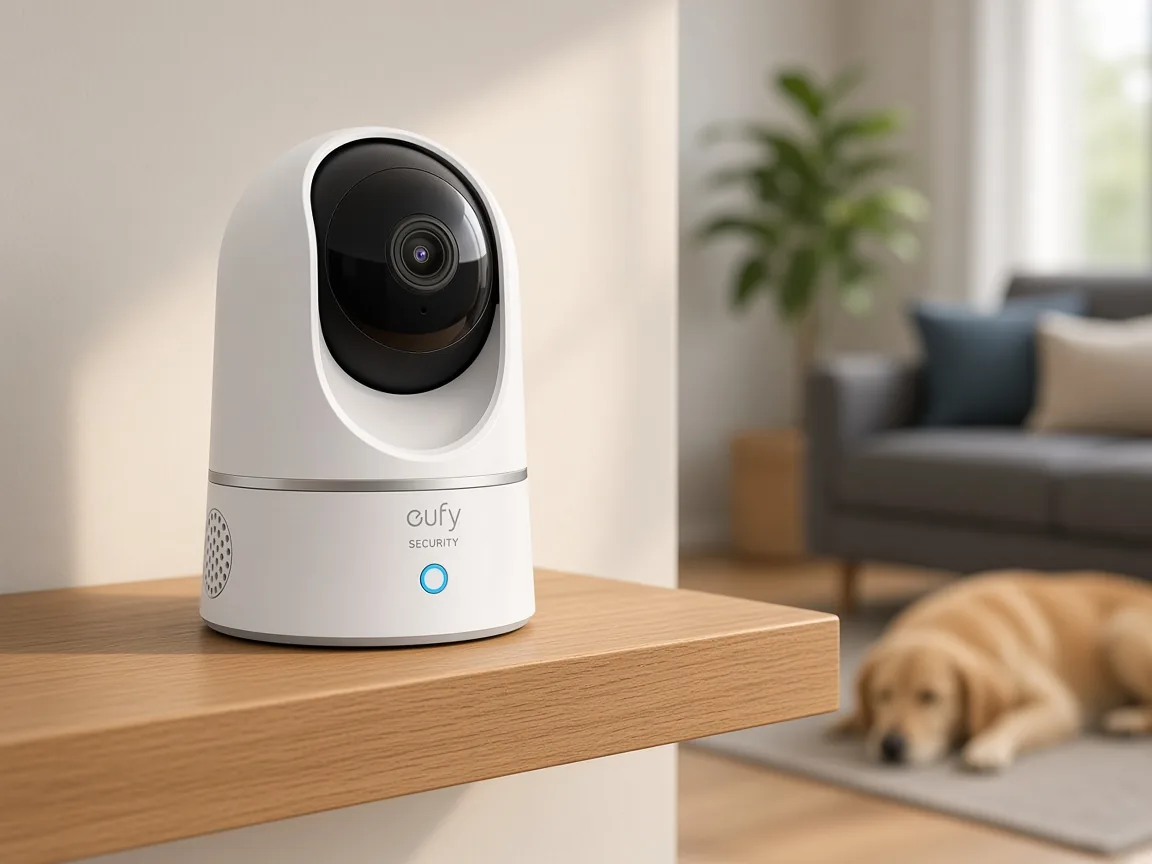 Best Value & Zero Subscription Fees · $
Eufy Indoor Cam E220 (2K Pan & Tilt)
For pet owners renting an apartment who simply want to confirm whether their rescue dog is resting calmly on the rug while they are away at work, paying $70 every year for cloud video storage feels like a tax. The Eufy E220 is built specifically for users who reject recurring software bills. It mounts easily to a high shelf or screws upside-down into a ceiling drywall plate, providing a wide aerial vantage point over the entire room. Its motorized base quietly sweeps 360 degrees horizontally and tilts 96 degrees vertically, allowing you to pan across doorways, pet crates, and water bowls directly from your phone screen.
Where the E220 truly outclasses specialized pet gadgets is resolution and data ownership. Equipped with a sharp 2K sensor (2304 x 1296), it lets you digitally zoom in on a sleeping pet to verify chest breathing or check collar tags. Best of all, it houses a physical microSD slot supporting cards up to 128GB, recording continuous 24/7 video locally with zero monthly fees. On-device AI distinguishes human movement from pet pacing without sending raw video to third-party cloud servers. However, it lacks any physical treat-dispensing mechanism, and its lightweight plastic tabletop base must be mounted high to prevent being swatted by curious paws.
Pros
- Crisp 2K resolution captures fine details like breathing and collar tags
- Local microSD card slot eliminates recurring monthly subscription fees
- On-device AI distinguishes pets from humans with zero cloud latency
- Motorized 360-degree pan and 96-degree vertical tilt eliminates room blind spots
- Includes ceiling-mounting twist plate with software image rotation
Cons
- No treat-dispensing mechanism or interactive toy features
- Lightweight base can be easily knocked over if placed on low tables
- Infrared night vision is standard black-and-white only
Get the Eufy E220 if you want high-resolution 2K video, motorized room coverage, on-device pet detection, and complete freedom from cloud subscription fees. Skip it if your core training strategy depends on dispensing daytime snacks remotely.
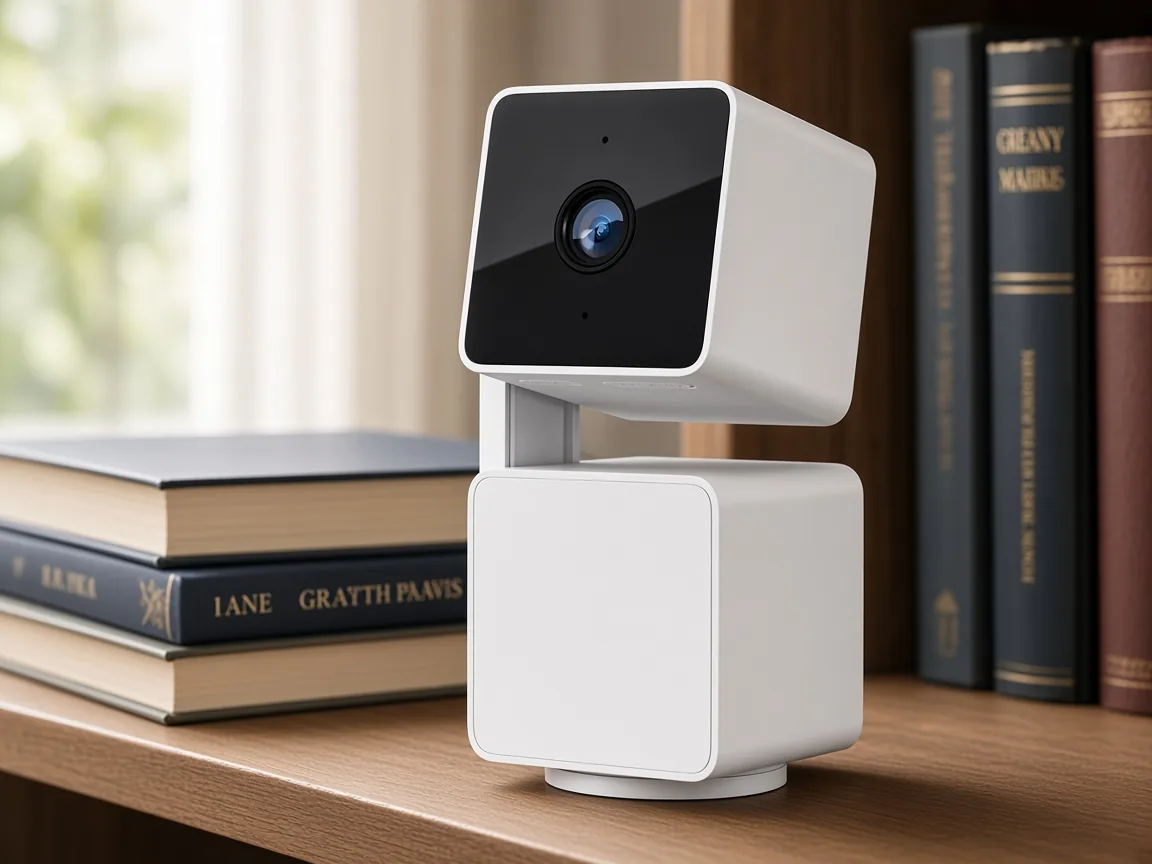 Best Budget 360 Tracking · $
Wyze Cam Pan v3
When managing a multi-pet home on a strict budget, spending $150 on a single indoor camera limits room coverage. The Wyze Cam Pan v3 costs under $40 yet packs expansive motorized agility: it rotates 360 degrees horizontally and tilts a full 180 degrees vertically. That massive vertical travel means it can tilt straight up to inspect a high cat perch or point directly straight down at floor-level feeding stations. In an open-concept living area, you can program its automated Pan Scan mode to continuously patrol between four custom waypoints—such as the dog bed, front window, and kitchen door—keeping tabs on active roamers automatically.
For family households, its most compelling feature is a physical privacy shutter. Tapping the privacy mode in the app causes the cube-shaped lens to physically rotate downward and tuck completely into its white plastic chassis, assuring everyone in the room that recording is physically blocked. Its Starlight sensor preserves vivid color night vision in dim evening light. The trade-offs sit in motor noise and free cloud limits: the panning motor produces a faint mechanical hum that alert dogs will perk their ears at, and the free cloud tier limits event recording to 12-second clips with a 5-minute cooldown unless you insert a local microSD card.
Pros
- Unbeatable value for full 360-degree pan and 180-degree vertical tilt range
- Physical privacy mode mechanically tucks the lens into the chassis
- Starlight low-light sensor maintains clear color night vision in dim rooms
- IP65 weather-resistance allows installation in damp mudrooms or covered porches
- Onboard microSD slot supports continuous local recording up to 256GB
Cons
- Motor produces a faint mechanical whir that pets can hear when tracking
- Free cloud tier caps motion event clips at 12 seconds with cooldowns
- Requires a stable 2.4 GHz Wi-Fi band during initial smartphone setup
Get the Wyze Pan v3 if you are on a tight budget, want wide motorized coverage across high perches and floor mats, and value physical privacy shutters. Skip it if you want remote treat tossing or completely silent motor rotation.
 Best Wall-Mountable Treat Dispenser · $$
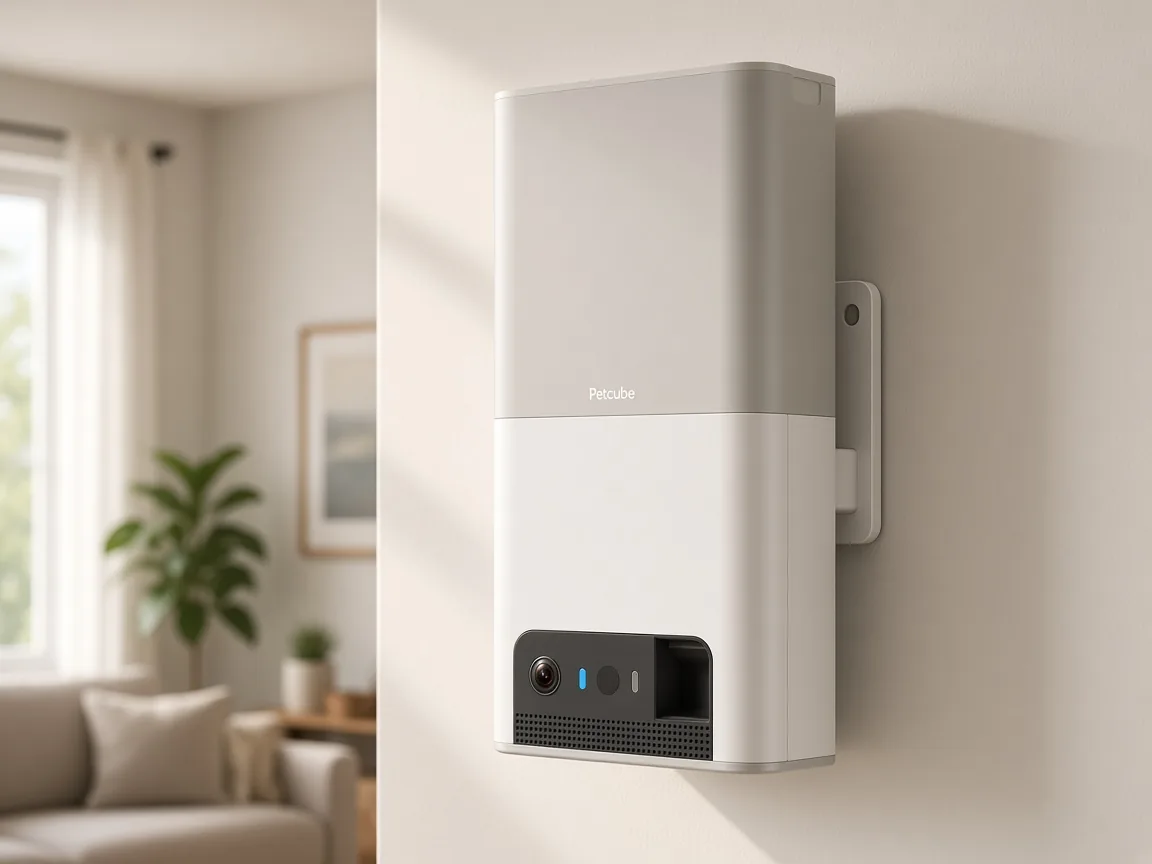
Petcube Bites 2 Lite
If your dog weighs over 50 pounds, tabletop pet cameras are an accident waiting to happen. An inquisitive Labrador or energetic Boxer smelling treats will easily nudge, paw, or swat a countertop camera onto hardwood flooring. The Petcube Bites 2 Lite solves this physical vulnerability through heavy-duty wall-mounting hardware. By screwing the unit firmly into drywall anchors five feet off the floor, treats and delicate electronics remain completely out of paw reach while its expansive 160-degree ultra-wide lens provides an unobstructed downward view of the entire living room.
Its treat reservoir is built for real daily life: it holds a massive 1.5 pounds (700 grams) of dry biscuits—roughly three times the capacity of tabletop competitors—meaning you refill it once a month instead of every few days. The clear food hopper detaches with a quick-release latch and is 100% dishwasher-safe, preventing rancid grease buildup from high-fat training treats. The compromises are stationary optics and cloud tiers: the camera lens cannot rotate to track pets down adjoining hallways, and reviewing past video recordings requires a Petcube Care membership ($4 to $8 per month).
Pros
- Dedicated wall-mounting bracket keeps treats safe from jumping large dogs
- Massive 1.5-pound treat reservoir requires far fewer refills
- Detachable food container is fully dishwasher-safe for clean sanitization
- Wide 160-degree ultra-wide lens captures expansive living spaces
- Substantially more affordable upfront than motorized 360 dispensers
Cons
- Stationary fixed lens cannot rotate or tilt to track moving animals
- Standard black-and-white infrared night vision only
- Generic sound alerts do not classify whining separately from barking
Get the Petcube Bites 2 Lite if you own an energetic or large dog, want high-capacity treat tossing at a sensible price, and can securely wall-mount the unit facing your pet's primary lounging zone. Skip it if motorized 360-degree panning is essential.
Quick decision tree: Which pet camera fits your home?
- If your top priority is zero ongoing monthly fees: Choose a 2K pan-and-tilt security camera with a local microSD card slot like the Eufy Indoor Cam E220.
- If you need to train, distract, and soothe an active dog with treats: Invest in a dedicated motorized interactive unit like the Furbo 360° Dog Camera.
- If you have a 50+ pound dog that knocks over tabletop gadgets: Wall-mount a heavy-duty high-capacity dispenser like the Petcube Bites 2 Lite at least 5 feet off the floor.
- If you need 360-degree room tracking on a tight sub-$40 budget: Pick up the Wyze Cam Pan v3 and pop in an inexpensive microSD card.
Our research methodology
Nobody at Pickora ran a closed commercial testing lab. Our research framework synthesizes manufacturer technical schematics, published benchmark evaluations from independent consumer tech analysts (including PCMag, CNET, and Wirecutter), canine behavioral guidance from veterinary sources, and verified multi-month owner reliability reports gathered through November 2026. We focus on real-world living room realities—such as treat hopper jamming rates, two-way audio latency, Wi-Fi mesh handshake stability, and the true cost of software subscriptions—so you can invest with clarity.
Final Verdict: If your daily routine does not require tossing edible rewards remotely, do not pay the premium for a dedicated pet camera. A quality 2K pan-and-tilt security camera like the Eufy E220 saves you hundreds of dollars in cloud fees while providing sharper video and reliable local storage. However, if remote treat tossing and specialized barking or howling alerts are critical for managing your dog's separation anxiety, the Furbo 360° remains the most complete interactive package on the market.