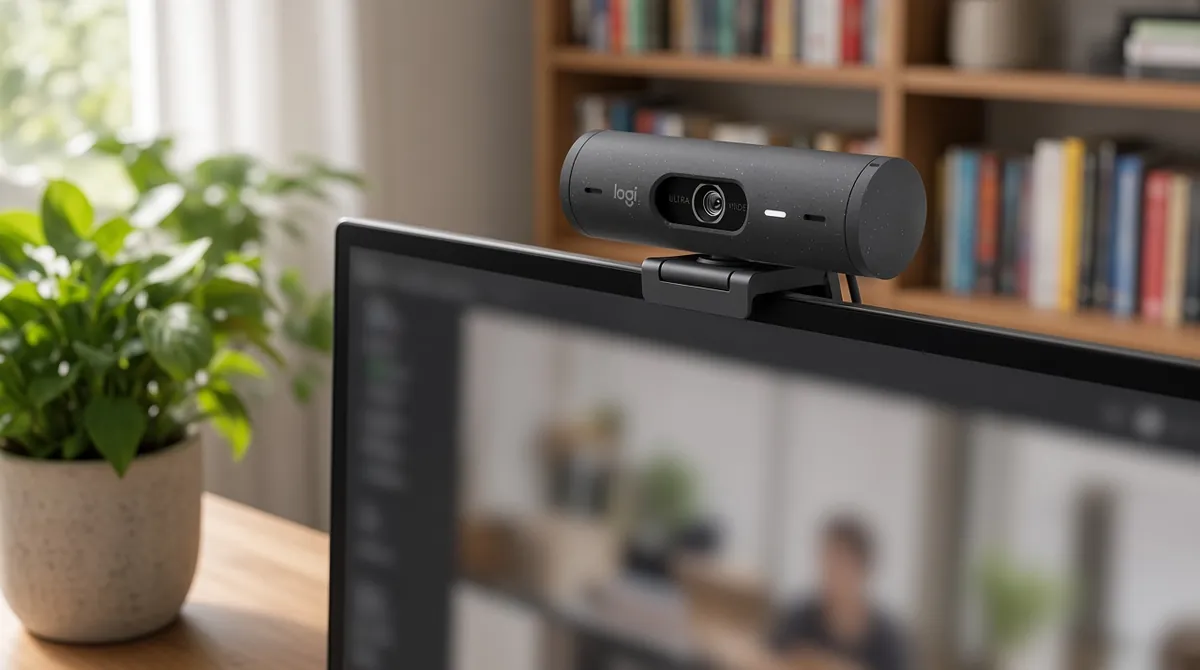
Nothing sabotages professional credibility during a high-stakes corporate client presentation, remote job interview, or team video conference faster than muddy, pixelated video captured from an unflattering up-the-nose laptop camera. Built-in laptop webcams are severely constrained by physical physics: laptop lid displays are mere millimeters thick, forcing manufacturers to use microscopic pinhole sensors that struggle desperately in dimly lit home offices, blowing out sunny background windows into blinding white voids while leaving your face cast in grainy shadow. Upgrading to a dedicated external webcam transforms your digital presence with large CMOS image sensors, intelligent HDR exposure compensation, and razor-sharp autofocus.
Our analysis cuts through marketing buzzwords like "Ultra 4K" to evaluate what actually matters for remote work: sensor dynamic range, low-light shadow recovery, field-of-view flexibility (65° vs. 78° vs. 90°), motorized AI auto-tracking gimbals, and physical privacy shutters. If you are also upgrading your desk workspace ergonomics, explore our guide on how to choose a mechanical keyboard. For comprehensive desktop peripherals, audio gear, and productivity tools, visit our central Consumer Electronics hub.
Quick Comparison: Best Webcams of 2026
| Model | Max Resolution | Sensor / Optics | Field of View | Privacy Shutter | Microphones | Best For |
|---|---|---|---|---|---|---|
| Logitech Brio 500 | 1080p @ 30fps | 4MP RightLight 4 | 90° / 78° / 65° | Built-in dial | Dual beamforming | Best Overall for Remote Work |
| Logitech MX Brio | 4K @ 30fps / 1080p @ 60fps | 8.5MP Sony STARVIS | 90° / 78° / 65° | Integrated metal dial | Dual beamforming | Best Premium 4K Executive |
| Anker PowerConf C200 | 2K (1440p) @ 30fps | 5MP CMOS | 95° / 78° / 65° | Physical slider | Dual noise-canceling | Best Budget Under $60 |
| Insta360 Link 2 | 4K @ 30fps / 1080p @ 60fps | 1/2" Phase Detect | 79.5° DFOV | Auto-tilts down | AI noise-canceling | Best Motorized AI Gimbal |
| Elgato Facecam MK.2 | 1080p @ 60fps (Uncompressed) | Sony STARVIS CMOS | 84° Diagonal | Sliding privacy cover | None (Streamer design) | Best for Twitch & Creators |
| Obsbot Meet 2 | 4K @ 30fps / 1080p @ 60fps | 1/2" CMOS | 79.4° FOV | Magnetic cap | Dual omnidirectional | Best Ultra-Compact Travel |
Top 6 Webcams: Detailed Reviews
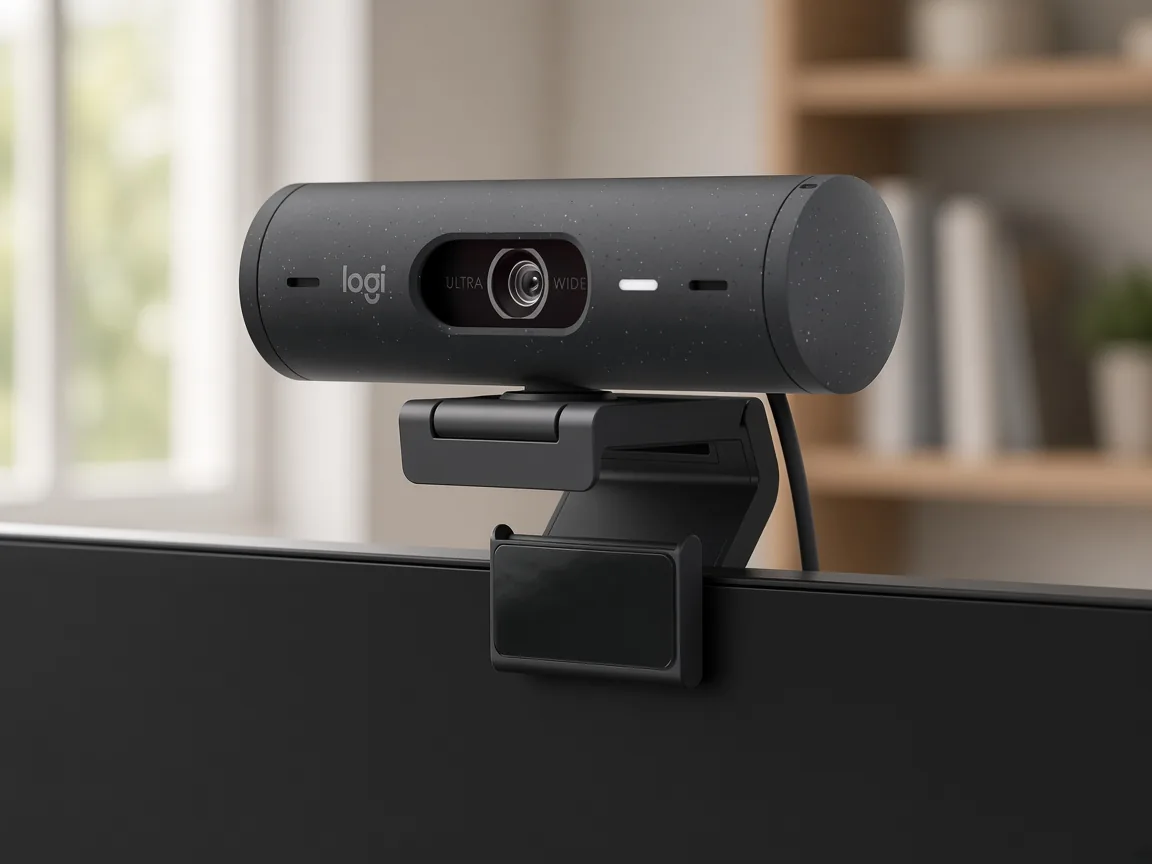 The gold standard for daily professional video calls: flattering automatic lighting,…
1. Logitech Brio 500 — Best Overall Webcam for Zoom, Teams & Remote Work
- Video Resolution: 1080p Full HD @ 30fps / 720p @ 60fps
- Image Sensor: 4MP sensor with RightLight 4 auto-light correction & HDR
- Field of View: Customizable 65°, 78°, and 90° diagonal FOV via Logi Tune
- Privacy: Built-in physical rotating privacy dial
- Special Feature: "Show Mode" magnetic downward tilt for physical document sharing
- Microphone: Dual noise-reducing beamforming microphones (up to 4-foot range)
The vast majority of remote corporate professionals do not need complex 4K streaming configurations that choke corporate bandwidth; they need a camera that makes them look sharp, natural, and awake in challenging home office lighting. The Logitech Brio 500 accomplishes this better than any other camera in its class.
For collaborative meetings, the Brio 500 includes an ingenious "Show Mode": simply tilt the camera downward with your hand, and the internal gyroscope automatically flips your video stream right-side up, allowing you to showcase sketches, handwritten math formulas, or physical hardware prototypes on your desk without picking up the camera.
Pros
- RightLight 4 HDR automatically rescues faces in harshly backlit home offices
- Innovative "Show Mode" downward tilt flips video for effortless desk document sharing
- Built-in rotating privacy dial provides instant physical security peace of mind
- Dual beamforming microphones deliver clear, echo-free voice pickup
Cons
- Capped at 1080p at 30fps (does not support 60fps at Full HD)
- Integrated 5-foot USB-C cable is permanently attached and non-replaceable
Get this if: You spend hours on daily corporate Zoom/Teams calls, have challenging window lighting, and want flattering, trouble-free video. Skip this if: You need high-frame-rate 60fps video for fast gaming streams, or demand raw 4K recording resolution.
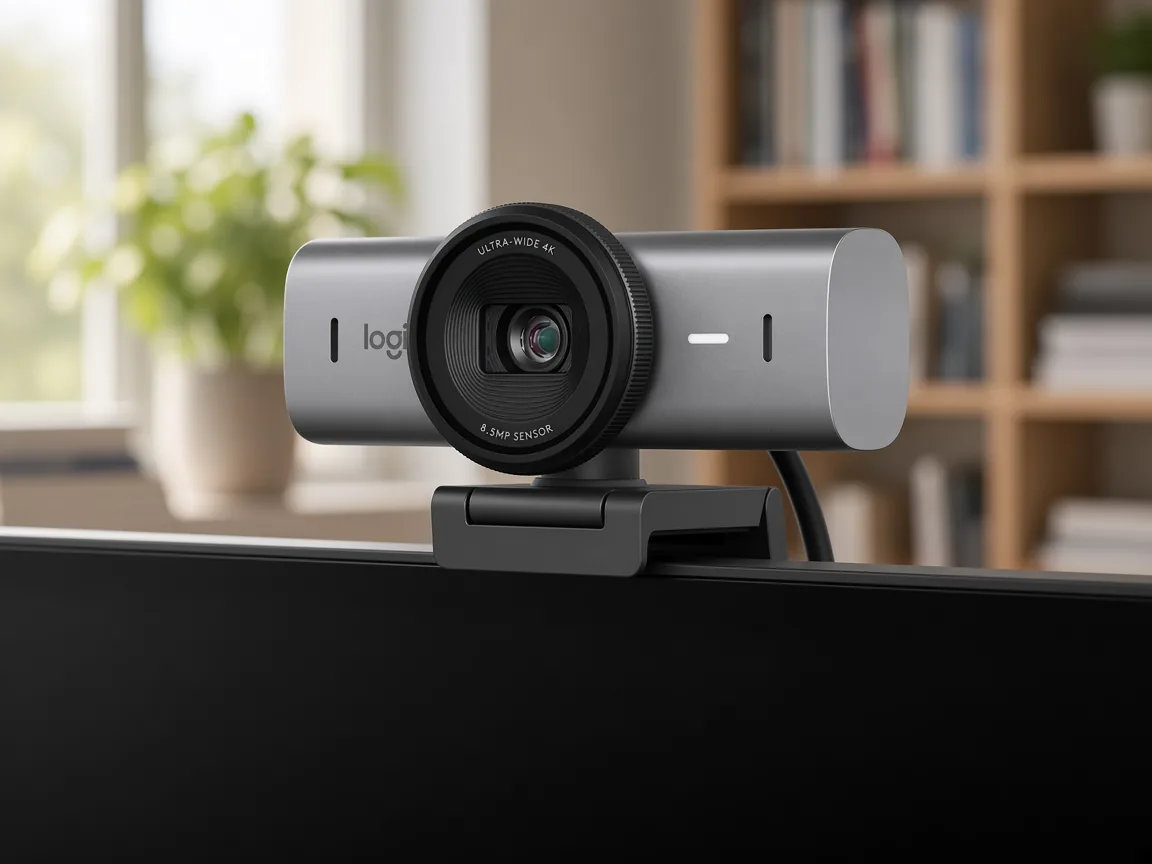 A luxury aluminum powerhouse equipped with a massive Sony STARVIS sensor that delivers…
2. Logitech MX Brio Ultra HD 4K — Best Premium 4K Webcam for Executives
- Max Resolution: Ultra HD 4K @ 30fps / 1080p Full HD @ 60fps
- Image Sensor: 8.5MP Sony STARVIS backside-illuminated sensor with 70% larger pixels
- Lens Optics: Custom-designed glass lens with f/2.0 aperture and dual-element phase autofocus
- Chassis: Low-carbon anodized aluminum casing with integrated rotating privacy ring
- Controls: Full manual ISO, shutter speed, exposure, and color temperature tuning in Logi Options+
- Weight: 6.2 oz (176 grams)
If you run executive board meetings, host paid client webinars, or demand the absolute highest visual fidelity achievable in a consumer webcam, the Logitech MX Brio is a magnificent engineering upgrade over plastic alternatives. Housed inside a precision-machined, low-carbon anodized aluminum body, it features an 8.5-megapixel Sony STARVIS sensor with individual pixels that are 70% larger than previous 4K webcams.
The companion Logi Options+ and G Hub software suites unlock DSLR-grade manual customization: you can fine-tune shutter speed, ISO sensitivity, white balance Kelvin temperatures, and digital contrast to craft a rich, professional broadcast look.
Pros
- Oversized Sony STARVIS sensor delivers peerless low-light clarity with 70% larger pixels
- Exquisite low-carbon anodized aluminum housing with integrated mechanical privacy ring
- Full manual DSLR-style exposure, ISO, and color temperature controls in software
- Fluid 1080p at 60fps for silky smooth motion alongside 4K recording
Cons
- Premium price point competing against budget mirrorless capture setups
- Heavy 6.2 oz aluminum casing can tilt delicate, thin laptop screens backward
Get this if: You are an executive, consultant, or professional speaker who demands studio-grade 4K image quality and luxury desktop hardware. Skip this if: You are on a budget or your daily video calls are strictly on standard compressed 720p corporate accounts.
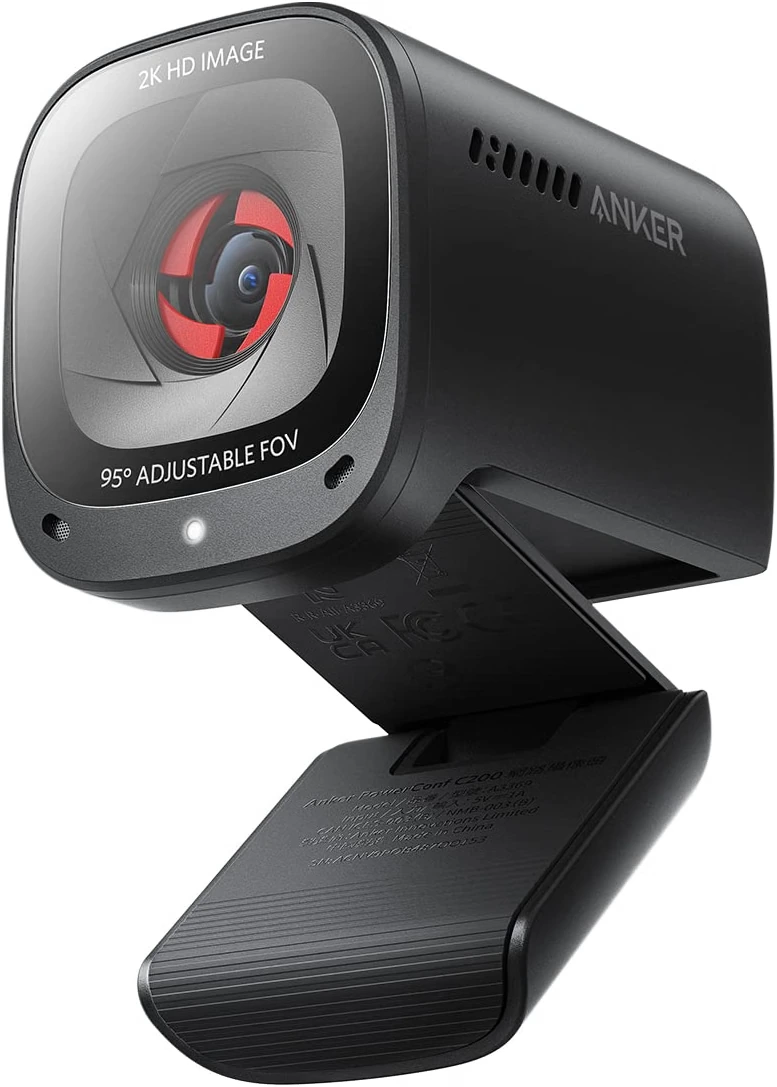 Sharp 2K resolution, customizable field of view, and a built-in sliding privacy…
3. Anker PowerConf C200 2K — Best Budget Webcam Under $60
- Max Resolution: 2K Quad HD (2560x1440) @ 30fps / 1080p @ 30fps
- Field of View: Adjustable 65°, 78°, and 95° wide-angle via AnkerWork app
- Privacy: Integrated physical mechanical sliding privacy switch
- Microphone: Dual stereo noise-canceling microphones with directional pickup
- Focus: Fast contrast-detection autofocus with f/2.0 aperture
- Weight: 2.9 oz (82 grams)
You do not need to spend over $100 to escape the pixelated curse of built-in laptop cameras. Priced comfortably under $60, the Anker PowerConf C200 delivers an astonishing amount of optical performance for budget-conscious remote workers and students.
The hardware design is refreshingly practical: a bright red physical sliding toggle on the top bezel slides an opaque cover directly over the camera lens, giving you instant, 100% foolproof privacy verification when not on calls. The dual stereo microphones feature an intelligent directional pickup algorithm that isolates your voice while damping out mechanical keyboard clatter and mouse clicks.
Pros
- Sharp 2K (1440p) resolution delivers crisp visual detail under $60
- Physical sliding privacy shutter provides instant visible security
- Adjustable field of view (65°, 78°, 95°) frames solo desks or wide whiteboards
- Dual noise-canceling stereo microphones suppress keyboard clatter
Cons
- Low-light performance becomes noisy without adequate supplemental desk lighting
- Autofocus can hunt occasionally when moving rapidly close to the lens
Get this if: You want a massive video upgrade over your laptop camera with 2K clarity and a physical privacy cover under $60. Skip this if: You work in dark, unlit rooms and demand low-light shadow recovery, or need 60fps streaming.
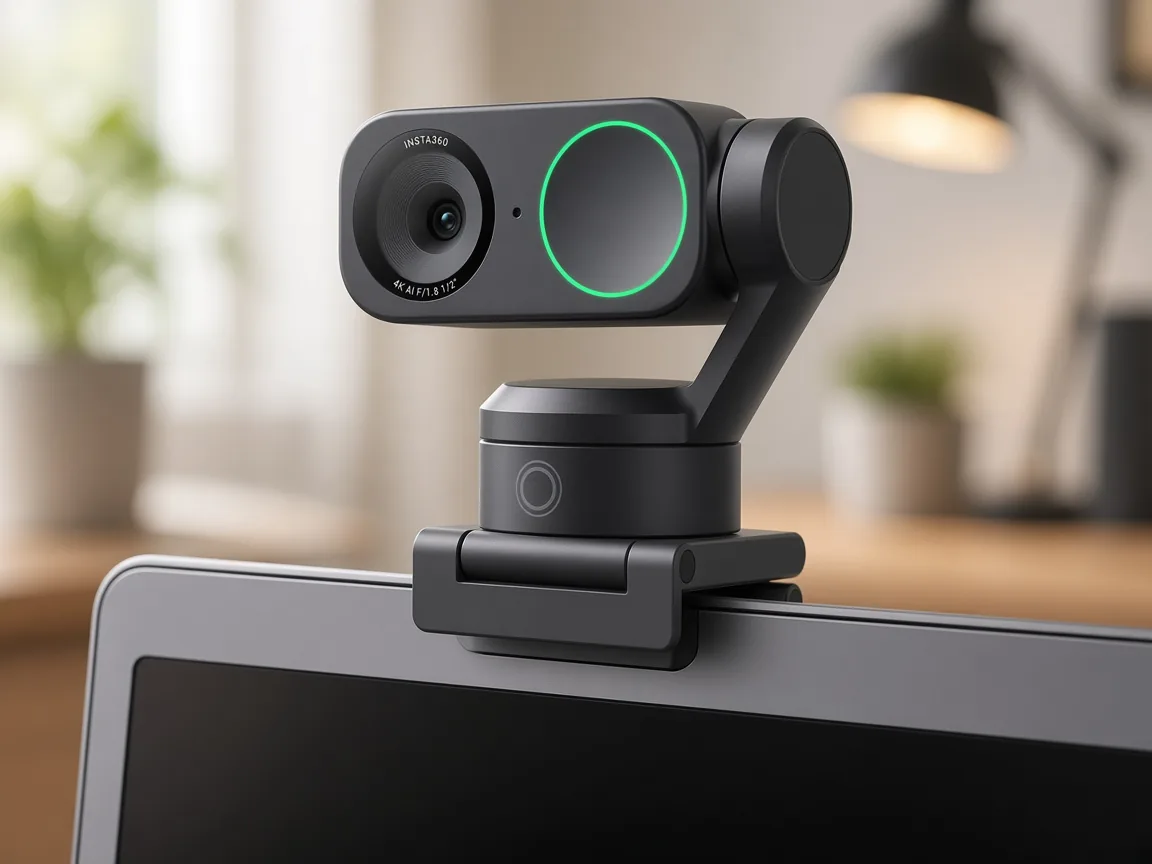 A high-tech robotic 2-axis motorized gimbal that physically pans, tilts, and follows…
4. Insta360 Link 2 — Best Motorized AI Auto-Tracking Webcam for Presenters
- Resolution: 4K Ultra HD @ 30fps / 1080p @ 60fps
- Gimbal Mechanics: 2-axis brushless motorized PTZ gimbal (Pan and Tilt)
- Image Sensor: Large 1/2-inch sensor with True Focus phase detection
- AI Features: AI Deep Track auto-framing, Whiteboard Mode, DeskView, Gesture Control
- Audio: AI noise-canceling dual microphone with Voice Isolation algorithms
- Privacy: Automatically points lens straight down into its base when idle for 10 seconds
For online educators, remote software architects, and dynamic presenters who cannot stand being handcuffed to a desk chair during long presentations, the Insta360 Link 2 is revolutionary. Unlike standard webcams that simulate "auto-framing" by digitally cropping and degrading image resolution, the Link 2 features a physical 2-axis motorized brushless gimbal.
Equipped with a large 1/2-inch image sensor, low-light performance and color depth are superb. It recognizes intuitive hand gestures: holding up your palm locks AI tracking on your face, while making an "L" sign zooms the lens seamlessly.
Pros
- Motorized 2-axis gimbal tracks movement physically without degrading pixel resolution
- Large 1/2-inch sensor provides rich color fidelity and low-light performance
- Specialized Whiteboard Mode enhances marker contrast and straightens perspective
- Automated privacy tilt points camera straight down into base when calls disconnect
Cons
- Premium price point reflecting complex motorized robotic hardware
- Motorized gimbal mechanism requires careful handling during travel
Get this if: You pace while speaking, teach online classes, write on physical whiteboards, or host dynamic video webinars. Skip this if: You sit completely stationary in a desk chair and only need a basic static video feed.
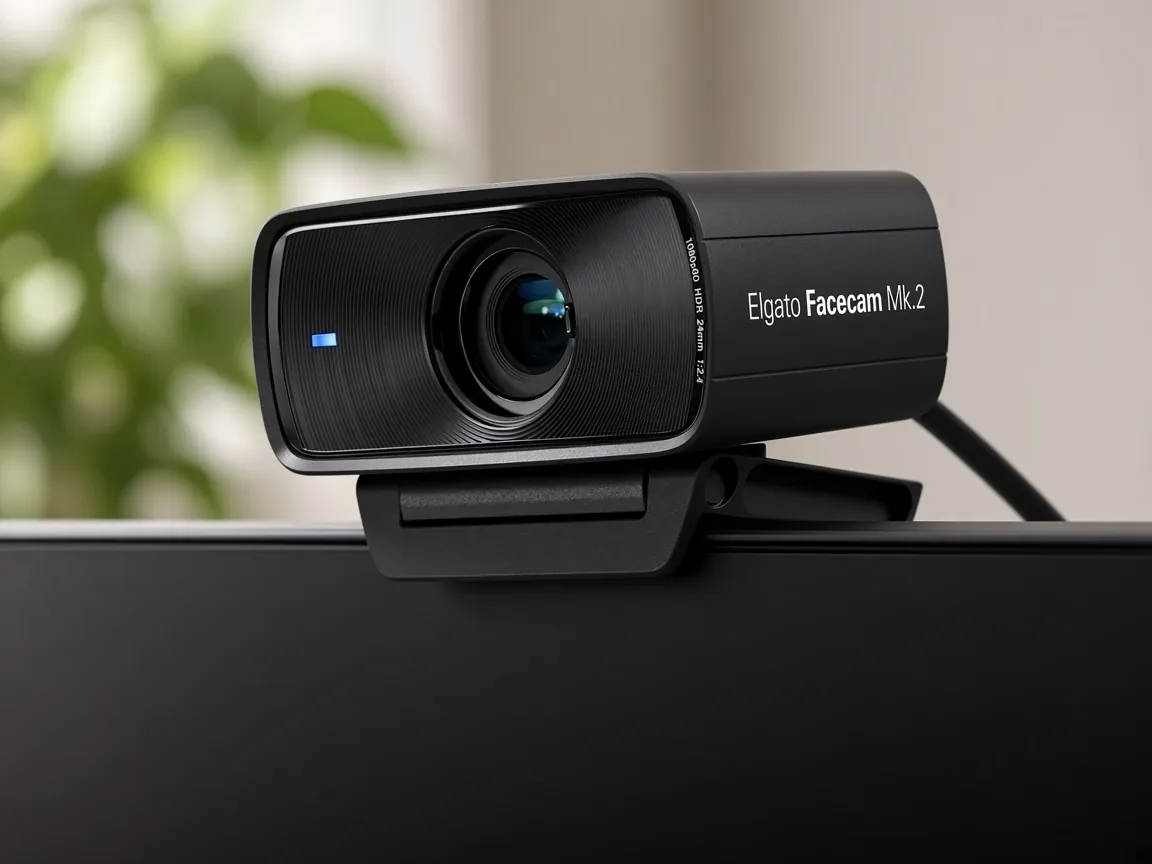 Delivers uncompressed 1080p at 60fps with zero latency, full manual DSLR controls, and…
5. Elgato Facecam MK.2 — Best Dedicated Streaming Webcam for Twitch & Creators
- Video Output: 1080p Full HD @ 60fps (Uncompressed YUV video over USB 3.0)
- Image Sensor: Sony STARVIS CMOS sensor with custom 24mm equivalent f/2.4 prime lens
- Field of View: 84° diagonal optical field of view
- Focus: Fixed-focus prime lens optimized from 12 inches to 47 inches
- Onboard Memory: Stores exposure, ISO, and color profiles directly on camera hardware
- Microphone: None (Engineered specifically for creators with standalone XLR/USB mics)
Standard webcams compress video feeds into lossy MJPEG streams to squeeze through USB 2.0 bandwidth. While fine for basic Zoom meetings, when combined with OBS Studio, fast green screens, and live gaming graphics on Twitch or YouTube, compressed video introduces visual stutter, pixel compression artifacts, and audio-sync latency.
Powered by a Sony STARVIS sensor paired with a custom multi-element f/2.4 glass prime lens, the Facecam MK.2 offers an optical experience that feels like a micro-DSLR.
Pros
- Transmits uncompressed 1080p at 60fps with zero artifacting or latency in OBS
- Onboard flash memory saves manual DSLR exposure profiles directly on the camera
- Fixed-focus glass prime lens completely eliminates annoying focus hunting
- Seamless native integration with Elgato Stream Deck controllers
Cons
- Has no built-in microphone (requires a separate dedicated USB or headset mic)
- Requires a true high-speed USB 3.0 port on your computer to operate at full fidelity
Get this if: You stream on Twitch or YouTube, use OBS Studio, and already own a dedicated microphone for streaming audio. Skip this if: You want an all-in-one office webcam with built-in microphones, or need autofocus for showing items close to the camera.
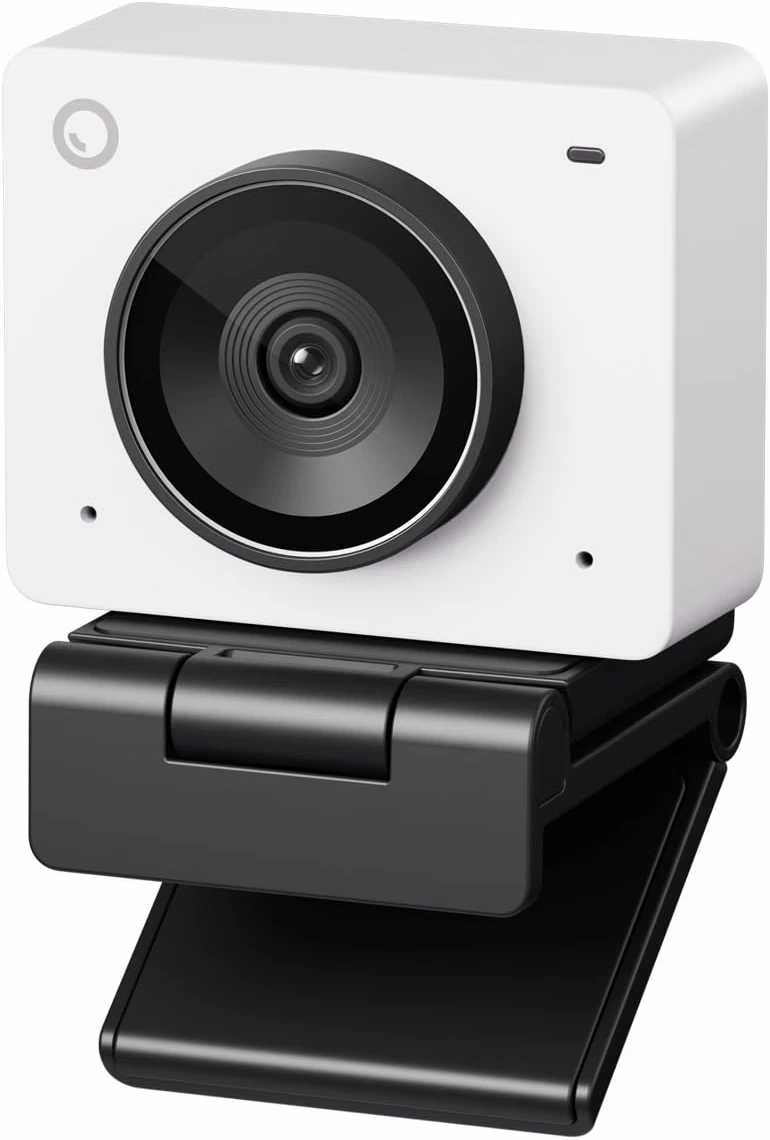 A microscopic 40-gram magnetic cube delivering full 4K video, phase detection…
6. Obsbot Meet 2 4K — Best Ultra-Compact Pocket Travel Webcam
- Resolution: 4K Ultra HD @ 30fps / 1080p Full HD @ 60fps
- Sensor Size: 1/2-inch CMOS image sensor
- Weight: Microscopic 1.4 oz (40.5 grams)
- Autofocus: Fast Phase Detection Autofocus (PDAF)
- Mounting: Magnetic clip with 1/4-inch tripod thread and vertical video mode
- Privacy: Removable magnetic lens cap + sleep mode
For digital nomads, traveling executives, and hybrid workers who move between kitchen counters, coffee shops, and hotel desks, carrying a heavy, awkward webcam with a tangled cable is a nuisance. The Obsbot Meet 2 4K is an astounding miniaturization feat: measuring roughly the size of a matchbox and weighing a featherweight 40 grams, it is the smallest 4K webcam on the planet.
Despite its tiny dimensions, Obsbot packed in a generous 1/2-inch image sensor with Phase Detection Autofocus, locking onto your eyes within milliseconds even when moving around. Its companion software includes single-person and group AI auto-framing that tracks your posture cleanly.
Pros
- Astonishingly compact 40g matchbox chassis disappears into laptop bags
- Large 1/2-inch image sensor outputs sharp 4K resolution and vivid color depth
- Magnetic base supports instant 90-degree rotation for vertical video recording
- Lightning-fast Phase Detection Autofocus locks onto eyes instantly
Cons
- Chassis becomes noticeably warm to the touch during extended 4K calls
- Separate magnetic privacy cap can be easily misplaced during travel
Get this if: You travel constantly with a laptop, work from cafes, and demand 4K clarity in an ultra-lightweight magnetic cube. Skip this if: You want an integrated non-detachable privacy shutter or a heavy permanent desktop mount.
Essential Buying Criteria: What Really Matters in a Webcam
1. Sensor Size & Low-Light Dynamic Range vs. Megapixel Hype
Marketing departments promote resolution numbers (e.g. "4K! 8 Megapixels!"), but in optical physics, sensor surface area is vastly more important than pixel count. A 1/2-inch image sensor captures significantly more light photons than a tiny 1/4-inch sensor, resulting in natural color saturation, clean shadow detail, and minimal digital grain. In typical home offices where window light shifts throughout the day, advanced HDR exposure software (like Logitech RightLight 4) makes a far greater visual impact on viewers than raw 4K pixel density.
2. The Zoom & Teams 1080p Compression Reality
Before spending $200 on a 4K webcam, understand the bandwidth reality: standard commercial Zoom and Microsoft Teams enterprise video streams are compressed down to 720p or 1080p by default to conserve corporate server bandwidth. You cannot transmit a native 4K stream across a standard Zoom conference call. The real benefit of a 4K sensor in office work is the ability to zoom in and crop your frame digitally (for instance, framing a tight head-and-shoulders shot) without degrading the final 1080p output quality.
3. Motorized 2-Axis PTZ Gimbals vs. Digital Cropping
Cheaper webcams advertise "AI Auto-Framing," but accomplish this by taking a wide-angle image and digitally cropping into your face, resulting in pixelated, blurry video. High-end robotic webcams (like the Insta360 Link 2) feature physical motorized pan-and-tilt gimbals: the camera physically rotates on silent electric motors to track you as you walk, preserving 100% of the sensor's optical clarity.
4. Physical Privacy Shutters
Never rely on software toggles or small green LED indicator lights to verify whether your camera is active; malicious malware and background software bugs can engage camera sensors without lighting indicator diodes. Always choose webcams with a physical mechanical shutter—whether a rotating internal dial (Logitech Brio 500), an aluminum iris (MX Brio), or a sliding switch (Anker C200)—that places an opaque barrier physically over the lens.
Our Research Method
Nobody at Pickora ran a closed commercial optical laboratory or analyzed lens MTF charts on optical test benches for this guide. Instead, our conclusions are synthesized from verified manufacturer CMOS sensor specifications (measuring sensor fractions, pixel micrometers, and aperture f-stops), independent dynamic range and color accuracy teardowns from specialized video reviewers (including Wirecutter, RTINGS, PCMag, and Tom's Guide), and analyzed user feedback logs across thousands of verified remote corporate professionals through November 2026. We focused specifically on real-world video friction points: backlight blowout recovery, autofocus hunting frequency, and microphone background noise suppression.
Final Verdict & Category Awards
- Best Overall for Remote Work & Zoom: Logitech Brio 500 — RightLight 4 HDR shadow recovery, physical privacy dial, and innovative Show Mode desk-tilt.
- Best Premium 4K Executive Pick: Logitech MX Brio — Massive Sony STARVIS sensor, luxury aluminum chassis, and full manual DSLR-style exposure tuning.
- Best Budget Webcam Under $60: Anker PowerConf C200 — Sharp 2K Quad HD resolution, physical sliding privacy shutter, and stereo mics under $60.
- Best for Teachers & Dynamic Presenters: Insta360 Link 2 — Motorized 2-axis PTZ gimbal follows you physically across the room with specialized Whiteboard Mode.
- Best for Twitch & YouTube Game Streamers: Elgato Facecam MK.2 — Uncompressed 1080p at 60fps with zero latency, manual shutter tuning, and onboard memory.
- Best Ultra-Portable Travel Webcam: Obsbot Meet 2 4K — Microscopic 40-gram magnetic cube delivering authentic 4K resolution for mobile laptop bags.