
Setting up an indoor pet camera should bring peace of mind, not an unexpected recurring bill or an emergency weekend trip to the veterinary hospital. Yet thousands of well-meaning dog and cat owners unbox highly rated smart monitors only to encounter immediate domestic friction: the camera repeatedly drops offline because it cannot handshake with a modern home mesh Wi-Fi network, an expensive treat catapult jams into a sticky mechanical mess after three days of use, or an unshielded power wire dangling from a coffee table becomes an irresistible chew toy for a teething puppy.
Manufacturer marketing pages highlight crystal-clear HD video, two-way intercoms, and remote smartphone treat tossing, but they routinely gloss over the operational headaches of living with an indoor smart camera. Whether you are managing an anxious rescue dog in a quiet apartment or an energetic puppy prone to destructive chewing, understanding these six common buying traps before checkout will save you hundreds of dollars in unnecessary fees and protect your home from electrical hazards. For broader hardware evaluations, explore our how to choose a pet camera guide, our top 7 pet cameras reviewed, and the Pet Supplies hub.
1. Falling into the hidden cloud subscription trap
The most common buyer remorse begins thirty days after installation when free promotional trials expire. Many smart camera brands sell their hardware at an accessible price ($40 to $100), but deliberately cripple the device unless you maintain an ongoing cloud subscription. Without paying $5 to $9 every month ($60 to $100+ per year), you lose recorded video history, automated pet motion tracking clips, and specialized barking notifications. Over two years, a $69-per-year subscription adds nearly $140 to your original checkout cost, turning an affordable monitor into an expensive recurring utility.
What to do instead: Calculate the full two-year total cost of ownership before buying. If your primary goal is checking when your pet napped or ate lunch, choose a camera equipped with an onboard microSD memory card slot. A single $15 high-endurance memory card provides continuous 2K video recording for weeks, operates with zero monthly subscription fees, and keeps sensitive interior home footage safely off public cloud servers.
2. Placing cameras on low tables within chewing and swatting reach
Setting a lightweight, treat-filled plastic camera on a low coffee table, TV console, or bedside nightstand is an open invitation for disaster. A curious 60-pound Labrador or energetic Boxer smelling food will easily paw, nudge, or swat the device onto hardwood flooring, shattering optical lenses and cracking plastic gears. Far more dangerously, unshielded 5-volt USB power cords dangling from low tabletops become tempting chew targets. Teething puppies can chew through thin rubber insulation in less than two minutes, creating severe risks of electrical mouth burns or life-threatening gastrointestinal obstructions that require emergency surgery.
What to do instead: Mount cameras at least 4.5 to 5.5 feet off the floor using drywall anchors or secure high shelving. If you must use a tabletop, place the unit on a heavy piece of furniture, anchor the base using heavy-duty 3M industrial double-sided adhesive tape, and encase every inch of exposed electrical wire inside split-loom plastic cord protector tubing.
3. Loading soft, moist, or crumbly treats into motorized dispensers
Smart treat dispensers use rotational carousels, silicone wiper blades, and spring-loaded catapult arms engineered to tight physical tolerances. A widespread mistake is loading soft training treats, freeze-dried raw meat chunks, jerky strips, or crumbly baked biscuits into the hopper. Soft treats squash under mechanical gear pressure, coating internal chutes with a sticky, greasy paste that burns out drive motors and attracts household ants. Crumbly biscuits pulverize into fine flour-like dust that chokes the dispensing solenoid.
What to do instead: Use only hard, dry, uniform, circular training kibble measuring strictly between 0.3 and 0.5 inches in diameter. If your pet requires prescription wet food, soft pill wraps, or a raw diet, abandon treat-tossing cameras entirely and invest in a high-resolution pan-and-tilt visual monitor.
4. Overlooking 2.4 GHz vs. 5 GHz Wi-Fi mesh incompatibility
Almost all affordable indoor pet cameras house compact Wi-Fi radios that operate exclusively on the 2.4 GHz radio frequency because 2.4 GHz signals penetrate interior drywall and cabinetry far better than 5 GHz bands. However, modern Wi-Fi 6 mesh routers commonly merge 2.4 GHz and 5 GHz bands under a single network name (SSID), steering connected devices dynamically. When buyers attempt initial smartphone pairing, their phone connects via 5 GHz while the camera searches in vain for 2.4 GHz, causing endless setup timeouts, failure to handshake, and random offline disconnects.
What to do instead: Before initiating app setup, log into your home router's admin settings and temporarily pause the 5 GHz band for ten minutes, or create a dedicated 2.4 GHz guest network specifically for smart home appliances.
5. Shouting through tinny two-way audio at an anxious dog
Owners frequently assume that speaking through a camera speaker will soothe a pet experiencing daytime separation anxiety. In real-world homes, canine behavioral specialists observe the exact opposite: disembodied, tinny, delayed voices blaring from a small plastic box frequently increase panic. Unable to locate the owner's physical scent or visual presence, anxious dogs often respond by pacing frantically, scratching doors, or barking louder at the device.
What to do instead: Reserve two-way audio for calm, neutral check-ins, or pair verbal cues strictly with immediate treat delivery so your pet associates the sound with positive rewards. If your dog shows visible agitation, whining, or door scratching after hearing your voice, mute the microphone and use the camera strictly as an observational tool.
6. Forgetting physical indoor family privacy
A 360-degree motorized camera in your living room or family den keeps tabs on pets, but it also records everything you do when you return home in the evening. Many pet parents feel uncomfortable having an active lens pointed at their living spaces during family dinners and weekends, especially on devices connected to cloud servers that could theoretically be accessed by family members or shared accounts.
What to do instead: Choose cameras equipped with physical mechanical privacy shutters or motorized downward lens-drops that physically tuck the optical sensor away into the chassis when you are home, or plug the camera into a smart wall plug scheduled to cut power when your phone connects to home Wi-Fi.
Three smart solutions that solve these mistakes
If you want to avoid these specific pitfalls, these three models directly address the biggest pain points:
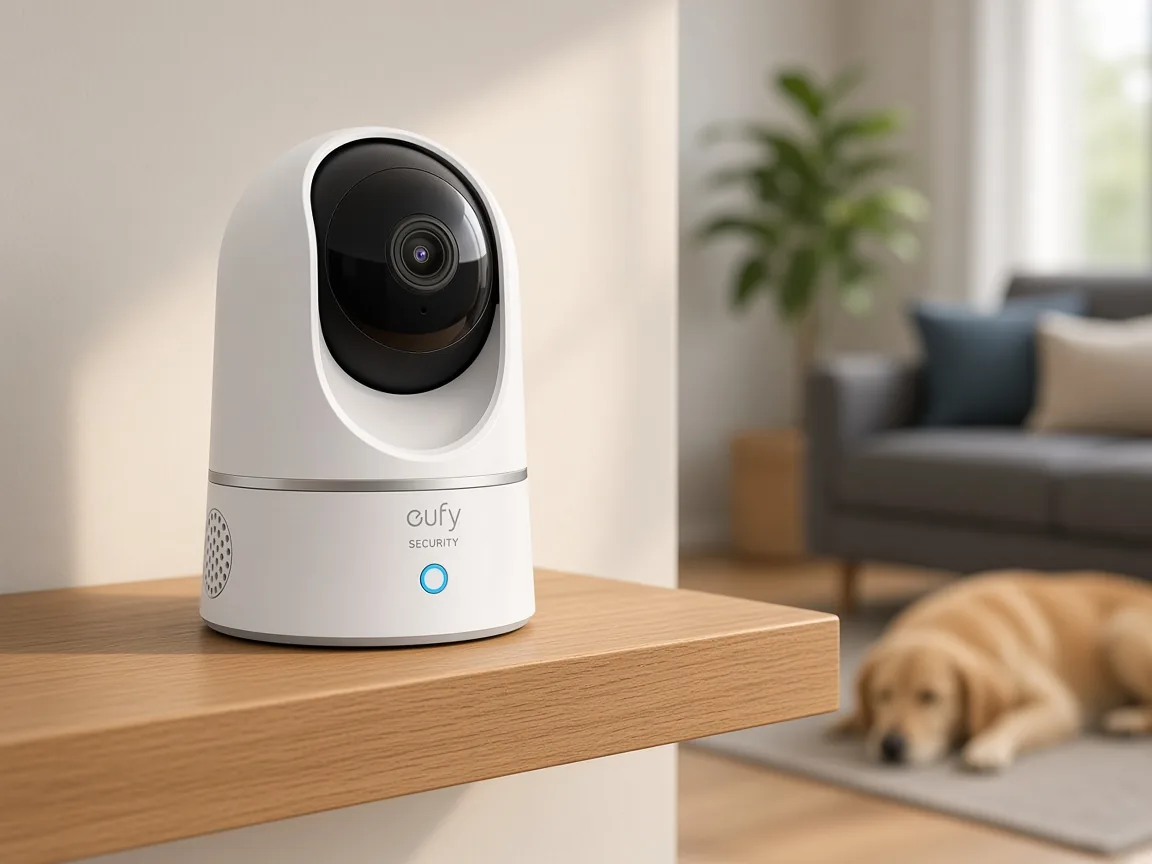 Solves Mistake #1: The Subscription Trap · $
Eufy Indoor Cam E220 (2K Pan & Tilt)
In an apartment where a pet parent simply wants to confirm their dog is resting quietly during work hours without paying a recurring monthly bill, the Eufy E220 is the ultimate antidote to predatory software paywalls. It records crisp 2K video directly to an internal microSD card (up to 128GB) with on-device AI pet detection, delivering motorized 360-degree room tracking with zero recurring subscription fees. A one-time $15 memory card gives you weeks of continuous playback.
It mounts easily on high shelving or inverts onto ceilings using an included twist-lock plate, providing a wide aerial view that keeps hardware safely away from curious paws. However, because it lacks a treat dispenser, it serves strictly as a high-resolution visual monitor rather than an interactive play device.
Pros
- Local microSD card slot eliminates recurring cloud fees completely
- True 2K resolution captures crisp facial and collar detail
- On-device AI distinguishes pet motion without cloud latency
- Motorized 360 pan / 96 tilt covers expansive living rooms
- Included ceiling-mount plate locks unit out of reach of pets
Cons
- No treat-dispensing mechanism
- Lightweight base requires high mounting to prevent being swatted
- Infrared night vision is standard black-and-white only
Choose the Eufy E220 if you want high-resolution monitoring, local data ownership, and complete freedom from monthly subscription fees.
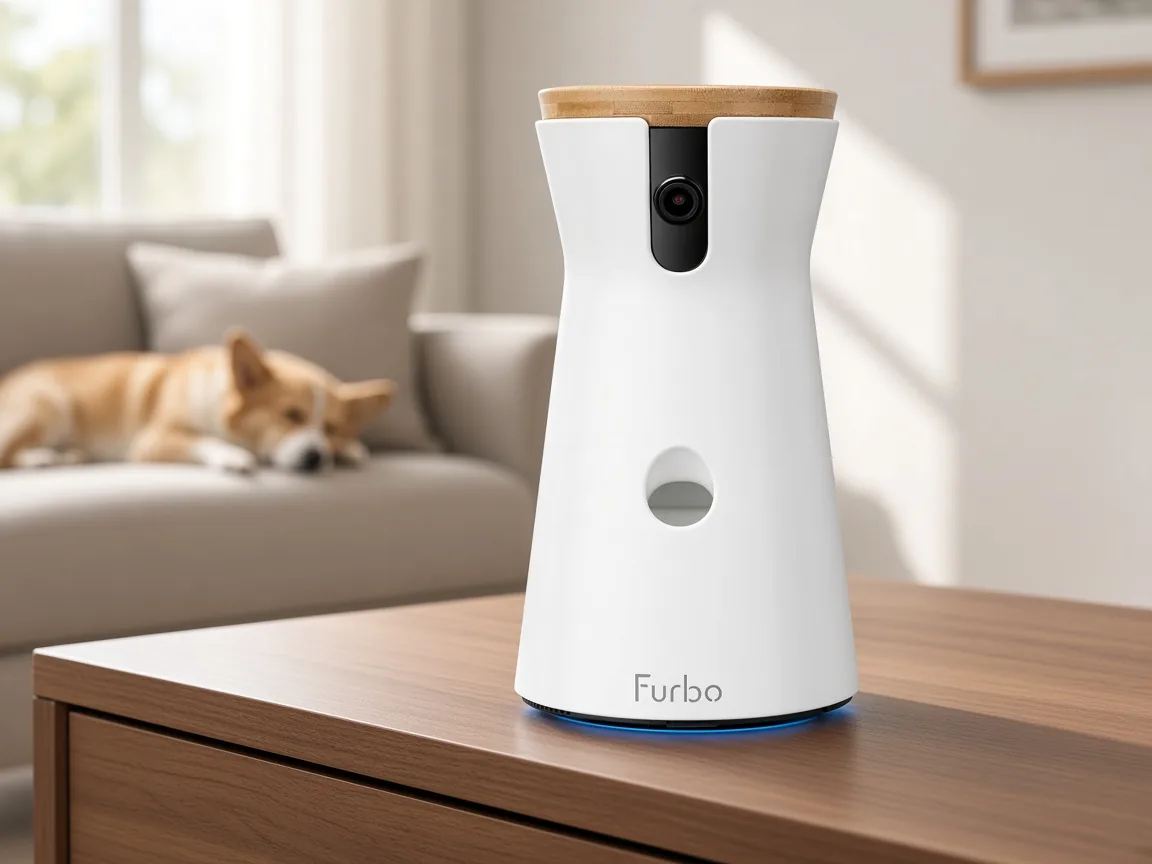 Solves Mistakes #2 & #3: Jamming & Tipping · $$$$
Furbo 360° Dog Camera
If you are determined to have an interactive treat tosser but worry about dog-tampering and mechanical jams, the Furbo 360 offers the most rigorously calibrated dispensing mechanism on the market. Its heavy weighted base, spill-resistant bamboo lid, and included 3M industrial stabilizing adhesive resist tipping when placed on high furniture, while its acoustic software filters out background noise to alert you only to real canine howling.
The treat catapult reliably launches dry, circular kibble two to four feet across the rug, providing positive reinforcement during crate training. However, it requires strict adherence to dry, uniform treats under 0.5 inches in diameter; loading moist jerky will quickly jam the internal gears. It also requires the Furbo Nanny subscription ($69/year) to unlock automated tracking and video history.
Pros
- Smooth 360-degree auto tracking keeps pets in center frame
- Heavy spill-resistant base with double-sided 3M adhesive pads
- Color night vision delivers exceptional low-light clarity
- Specialized acoustic detection for howling, crying, and smoke alarms
- Effective treat catapult with satisfying launching range
Cons
- Premium purchase price and $69/year cloud subscription
- Strictly requires dry, round treats under 0.5 inches
- No physical microSD card slot for offline local video storage
Choose the Furbo 360 if you want an engineered treat tosser with reliable tipping defense and specialized separation anxiety alerts.
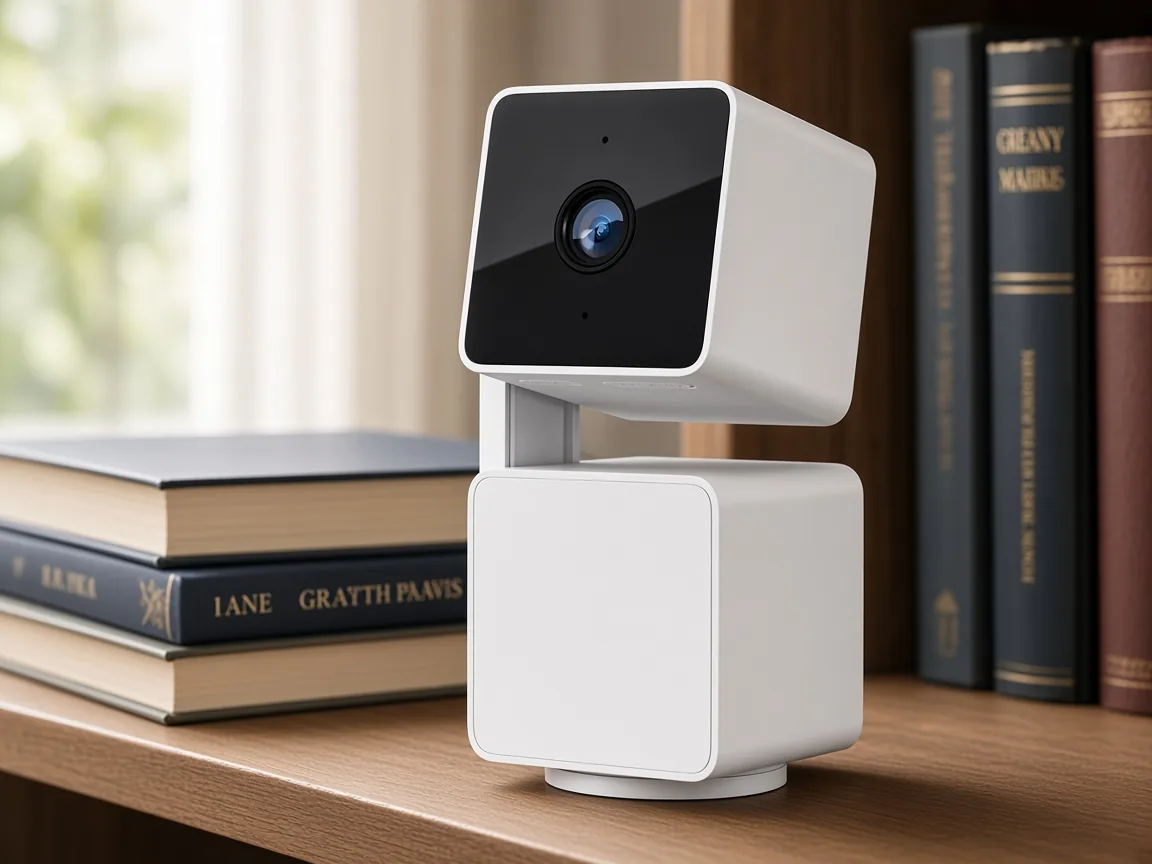 Solves Mistake #6: Indoor Family Privacy · $
Wyze Cam Pan v3
The Wyze Cam Pan v3 solves the home privacy dilemma with a physical mechanical privacy lens drop. With a single tap in the mobile app, the camera lens physically rotates downward and tucks completely inside its white plastic body, guaranteeing zero visual surveillance when family members are home in the evening.
For under $40, it delivers full 360-degree horizontal panning and 180-degree vertical tilt, allowing you to monitor high shelves or floor-level dog beds. While the free cloud plan caps event clips at 12 seconds with cooldown periods, adding an inexpensive microSD card unlocks full continuous local playback without ongoing monthly fees.
Pros
- Physical mechanical privacy mode drops lens completely into chassis
- Full 360-degree pan and 180-degree tilt coverage
- Incredible value under $40 with local microSD support
- Starlight color night vision clarifies dimly lit rooms
- IP65 weather-resistance allows covered patio use
Cons
- Free cloud clips are capped at 12 seconds with cooldown periods
- Motor rotation produces a slight mechanical hum
- No treat-dispensing mechanism
Choose the Wyze Pan v3 if you want budget 360 tracking with guaranteed physical privacy when you are in the room.
Quick pre-purchase checklist
- [ ] Verify Wi-Fi bands: Can your home router broadcast a dedicated 2.4 GHz channel during initial camera setup?
- [ ] Calculate recurring fees: Does the camera require a cloud subscription to view past video clips, and did you factor that into your two-year budget?
- [ ] Check treat compatibility: Are you using dry, crunchy training pellets under 0.5 inches instead of sticky jerky chews?
- [ ] Inspect physical placement: Is the camera positioned at least 4.5 to 5.5 feet high, and are all power wires shielded from teething puppies?
- [ ] Test audio response: Does speaking through the camera speaker calm your dog or trigger increased pacing and agitation?
Our research methodology
Nobody at Pickora ran a closed commercial testing lab. Our buying guidance synthesizes canine behavioral studies from the American Kennel Club (AKC), smart home product failure analysis from independent consumer tech analysts (including Consumer Reports, Wirecutter, and PCMag), and verified owner troubleshooting patterns through November 2026. We focus on real-world post-purchase failures—such as mechanical hopper jams, Wi-Fi mesh handshake drops, and cable safety—to help you avoid common buyer regrets.
Summary: Avoiding pet camera buyer's remorse comes down to two golden rules: never buy a camera without factoring in recurring cloud fees, and mount your hardware high off the ground with protected cables. For a subscription-free experience, the Eufy Indoor Cam E220 is our top recommendation. If you require interactive treat tossing, the Furbo 360° justifies its premium only when paired with dry, uniform treats and high placement.